Choosing the right home security system means matching your property’s specific needs with equipment that fits your budget, living situation, and lifestyle. We need to evaluate our home’s vulnerabilities, decide between professional or DIY installation, and select monitoring options that keep our families safe without breaking the bank.
We’ve seen security systems evolve dramatically over the past decade. Gone are the days when we needed expensive professional installations with complex wiring running through our walls. Modern wireless systems let us set up protection in an afternoon, while smart home integration means we can control everything from our phones. But with so many options available, figuring out what we actually need can feel overwhelming.
Key Takeaways:
- Assess your property first – Walk around and identify weak spots like ground-level windows, poorly lit areas, and easy entry points before shopping for equipment
- Match systems to your living situation – Renters benefit from wireless, contract-free options while homeowners can consider more permanent wired installations
- Understand monitoring differences – Professional monitoring costs $20-$80 monthly with 24/7 oversight, while self-monitoring saves money but requires our constant attention
- Budget for complete costs – Factor in equipment ($130-$2,000+), installation fees ($0-$200), monthly monitoring, and additional sensors or cameras
- Prioritize essential features – Every system needs a control panel, door/window sensors, motion detectors, and cameras with at least 1080p resolution
- Check contract requirements – Contract-based systems lock us in for 36-60 months but offer lower monthly payments, while no-contract options provide flexibility with higher upfront costs
Understanding Our Home’s Security Vulnerabilities
Before we start shopping for systems, we need to play detective around our own property. Walking around our home with a critical eye helps us spot the weak points that burglars might exploit. We’re looking for ground-level windows that someone could pry open, dark corners where intruders could lurk unnoticed, and entry points that don’t have clear sightlines from neighbors’ properties.
Here’s something interesting: about 34% of break-ins happen through the front door, while 22% occur through back doors. That means we need to prioritize these main entry points when planning our security coverage. But we shouldn’t ignore those basement windows or the side door leading to our garage—these spots often get overlooked but provide easy access for determined thieves.
What We’re Really Protecting Against
Security systems do more than just stop burglaries. We need to think about fire detection, carbon monoxide monitoring, and even water leaks that could cause thousands in damage. If we have fuel-burning appliances like gas furnaces or water heaters, carbon monoxide detectors become essential, not optional.
For families with kids or pets, our needs get more specific. We want indoor cameras to check on children or elderly family members, but we also need motion sensors smart enough to ignore our 60-pound golden retriever wandering around at night. Modern pet-immune sensors use advanced technology to tell the difference between human movement and our furry friends, preventing those annoying false alarms at 3 AM.
Choosing Between DIY and Professional Installation
One of our biggest decisions comes down to whether we handle installation ourselves or bring in the pros. Both approaches have their perks and drawbacks, and honestly, the right choice depends on our comfort level with technology and how much we want to spend upfront.
The DIY Route
Setting up our own security system saves us $99 to $200 in installation fees right off the bat. We can start protecting our home the moment our package arrives instead of waiting days or weeks for an installation appointment. Modern DIY systems have become ridiculously easy to install—many use peel-and-stick sensors that require zero tools or drilling.
We get complete control over where everything goes, which means we can customize the setup based on how we actually use our space. Plus, if we decide to rearrange things later or add more sensors, we don’t need to schedule another service call or pay additional fees.
But here’s the thing: improper installation can compromise our entire security setup. If we mount cameras at the wrong angles or place sensors incorrectly, we might create blind spots that defeat the whole purpose. The process also takes time, especially if we’re not tech-savvy, and troubleshooting problems falls entirely on us.
Professional Installation Benefits
When professionals handle our installation, we’re paying for years of experience and expertise. These folks know exactly where to place sensors for maximum coverage, how to angle cameras for the best views, and which settings optimize our specific home layout. They’ll integrate our system with existing smart home devices and train us on operating everything correctly.
Professional installation makes the most sense if our home already has security wiring in place, which can significantly reduce costs. The installers handle all the technical headaches, test everything thoroughly before leaving, and provide support if issues crop up later.
The downside? Higher upfront costs and the need to schedule appointments around someone else’s availability. We’re also trusting strangers to walk through our home and understand its layout, which some people find uncomfortable.
Wired vs. Wireless: Understanding the Technical Differences
The technology powering our security system affects reliability, flexibility, and long-term costs. Let’s break down what we’re really getting with each option.
Wired Systems Offer Rock-Solid Reliability
Wired systems connect everything through physical cables, which means they don’t worry about signal interference from our Wi-Fi router, baby monitor, or neighbor’s wireless network. They’re more secure against hacking because someone would need physical access to our wiring to compromise them. Even if our internet goes down during a storm, wired systems keep recording locally.
We never deal with dead batteries in sensors because everything draws power through the wiring. Plus, wired systems can detect if someone tries tampering with the cables, adding another security layer.
The catch? Installation costs more upfront, and changing our system layout later becomes complicated. If we want to add sensors in new locations, we need to run additional wiring, which might mean cutting into walls.
Wireless Systems Provide Ultimate Flexibility
Wireless systems communicate through radio frequencies or Wi-Fi, making installation a breeze. We can place sensors anywhere without worrying about cable runs or drilling holes through our walls. For renters, this flexibility is huge—we can take the entire system with us when we move without damaging the property.
Adding new components is simple. Want another door sensor or an extra camera? Just sync it with our base station and mount it wherever we need coverage. Wireless systems also cost less upfront since we’re not paying for professional wiring installation.
But wireless technology has trade-offs. Sensors need battery replacements every one to four years, adding ongoing maintenance costs. Signal interference can cause communication problems, and someone determined enough might use wireless jamming devices to disrupt our system. Most wireless setups also depend on stable internet connections for full functionality.
| Feature | Wired Systems | Wireless Systems |
|---|---|---|
| Installation Cost | Higher ($99-$200+) | Lower (DIY possible) |
| Reliability | Superior, no interference | Can face signal issues |
| Flexibility | Limited, hard to modify | Excellent, easy expansion |
| Maintenance | Minimal, no batteries | Regular battery changes |
| Internet Dependency | Works offline | Usually requires connection |
| Renter-Friendly | No, permanent installation | Yes, fully portable |
Many modern systems offer hybrid approaches that combine wired reliability for critical components with wireless flexibility for easier expansion.
Professional Monitoring vs. Self-Monitoring
How our system responds when something triggers an alarm makes all the difference between effective protection and a fancy doorbell.
Professional Monitoring Provides 24/7 Oversight
With professional monitoring, trained security specialists watch our system around the clock. When our alarm goes off, these monitoring centers verify whether it’s a real threat or false alarm, then contact emergency services immediately. They’ll also try reaching us to confirm the situation, but crucially, they don’t wait for our response before calling for help.
This service typically runs $20 to $80 monthly, with most providers charging around $25 to $35. Top companies like ADT operate multiple monitoring centers, so if one facility experiences problems, others seamlessly take over without interrupting our coverage.
Professional monitoring really shines for families with young children, elderly relatives, or anyone who can’t always respond quickly to alerts. We get peace of mind knowing someone’s always watching, even when we’re sleeping, traveling, or simply forget to check our phone.
Self-Monitoring Puts Us in Control
Self-monitoring means we receive alerts directly through smartphone apps when sensors detect activity. We review the notifications, check any associated camera footage, and decide whether to contact authorities ourselves. This approach is often free or costs just $5 to $20 monthly for enhanced features like video storage and smart notifications.
We avoid ongoing monitoring fees and maintain complete control over our system. There’s no contract to sign, no monthly bill to worry about, and we can customize exactly which alerts we receive.
The downside? We’re on the hook for responding to every single alert, day or night. If we’re in a movie theater, on a plane, or simply don’t hear our phone, we can’t respond to potential emergencies. We also need to stay calm enough during actual break-ins to call 911 ourselves.
Some companies like SimpliSafe and Ring offer flexible month-to-month monitoring that we can turn on and off as needed. This works great for vacation homes or if we only want monitoring during specific times.
Understanding Contracts and Commitments
Security system contracts directly impact our flexibility and total costs over time. We need to understand exactly what we’re signing before committing.
Contract-Based Systems Lock Us In
Traditional security companies typically require 36 to 60-month commitments, with three years being the industry standard. These longer contracts usually feature lower monthly payments since equipment costs get spread across the entire contract period. Providers often throw in free professional installation, equipment replacement, and repairs during our contract.
Companies like ADT and Vivint generally require contracts, though some options exist for purchasing equipment outright. Breaking these contracts early triggers substantial cancellation fees—we’re talking hundreds or even thousands of dollars depending on how much time remains.
The equipment often doesn’t belong to us unless we specifically purchase it or finish paying it off through monthly installments. This means we can’t take it when we move unless we buy out the remainder of our contract.
No-Contract Options Maximize Flexibility
SimpliSafe pioneered contract-free security back in 2006, completely changing the industry landscape. With no-contract systems, we purchase equipment upfront but gain total freedom to modify, pause, or cancel service whenever we want without penalties.
This flexibility is perfect for renters who might move frequently or anyone who values not being locked into long commitments. We own the equipment from day one, so we can take it anywhere or sell it if we decide we don’t need it anymore.
The trade-off comes in higher initial equipment costs—typically $130 to $400 for starter kits that would be “free” or cheaper with contract-based systems. But over time, especially if we don’t need monitoring year-round, no-contract options often cost less.
Essential Equipment Every System Needs
Building an effective security setup requires certain core components that work together to protect our home comprehensively.
Control Panel: The System’s Brain
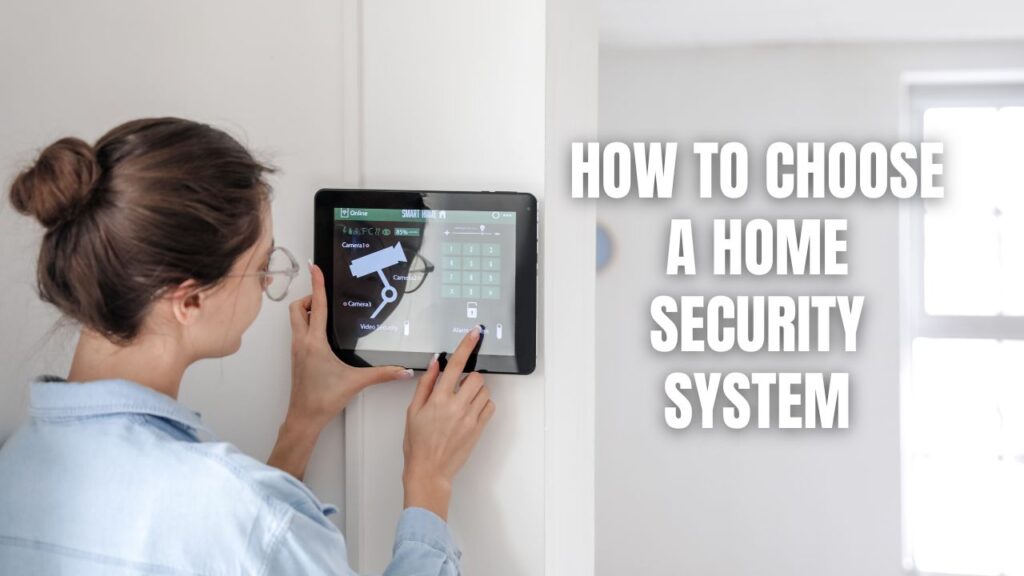
Our control panel or base station connects all devices and lets us arm or disarm the alarm. Modern panels feature touchscreens similar to tablets, making them intuitive to operate. This hub communicates with monitoring centers (if we have professional monitoring) and sends alerts to our smartphones.
We should look for panels with backup batteries that keep the system running during power outages and cellular backup that maintains monitoring even if someone cuts our internet connection.
Door and Window Sensors: First Line of Defense
Contact sensors attach to doors and windows, alerting us whenever they’re opened. These represent our most critical protection layer. We need sensors on all ground-level entry points—every door and any window someone could reasonably climb through.
Don’t forget about basement windows, garage doors, and that side entrance we rarely use. Burglars often target these less-obvious entry points specifically because homeowners overlook them.
Motion Sensors for Interior Protection
Motion detectors monitor movement inside our home, catching intruders who bypass door and window sensors. We should place them in rooms with multiple entry points, hallways that provide access to various parts of our house, and near valuables.
For pet owners, choosing pet-immune motion sensors is crucial. These devices ignore animals under 50 to 80 pounds (depending on the model), preventing our dogs and cats from triggering false alarms. The technology uses sophisticated algorithms to distinguish between human and animal movement patterns.
Security Cameras for Visual Verification
Cameras provide visual confirmation of threats and serve as powerful deterrents. We need both indoor and outdoor cameras, with video doorbells covering our front entrance. Look for cameras offering:
- At least 1080p HD resolution for clear footage
- Night vision to record in darkness
- Wide-angle lenses (120° or more) for broad coverage
- Smart detection that differentiates between people, pets, and vehicles
- Two-way audio for speaking to visitors or intruders
- Weather-resistant construction for outdoor models
Budget cameras start around $26 for basic models like Blink, while premium options from Nest or Arlo cost $100 to $300 with advanced features like continuous recording and facial recognition.
Environmental Sensors Protect Beyond Break-Ins
Comprehensive home protection extends beyond stopping burglaries. We need smoke detectors with dual-sensor technology that catches both fast-burning and slow-smoldering fires while minimizing false alarms from cooking.
Carbon monoxide detectors are essential for homes with gas appliances, fireplaces, or attached garages. This odorless, colorless gas kills hundreds annually, making detection critical.
Consider adding water leak sensors near water heaters, washing machines, and under sinks to catch problems before they cause expensive damage. Freeze sensors help prevent burst pipes in winter, while temperature monitors alert us to HVAC failures.
Strategic Camera Placement for Maximum Coverage
Where we position cameras matters just as much as how many we install. Strategic placement transforms basic monitoring into comprehensive security coverage.
Prioritizing Entry and Exit Points
We should install cameras at every door—front, back, side entrances, and garage doors. Position them at second-floor level when possible to prevent tampering. Angle cameras downward to capture faces clearly rather than just the tops of heads.
Video doorbells have become increasingly popular because they monitor our most-used entrance while letting us see and speak with visitors from anywhere. They also catch package thieves, who’ve become a growing problem in residential neighborhoods.
Covering Critical Indoor Spaces
Inside our home, cameras should monitor main stairs, hallways connecting different areas, and rooms containing expensive electronics, jewelry, or other valuables. We should avoid bedrooms and bathrooms to respect privacy—nobody wants cameras in those spaces.
For families with children, cameras in playrooms or living areas let us check on kids from work or while cooking dinner. Elderly relatives living with us also benefit from discreet monitoring that helps ensure their safety without feeling invasive.
Addressing Outdoor Vulnerabilities
Beyond entry points, we need coverage of driveways, parking areas, and any windows located away from street view. Poorly lit zones deserve extra attention since they provide concealment for intruders.
Use overlapping fields of view with multiple cameras to eliminate blind spots. If someone disables one camera or stays at its edge, another camera should still capture their activity.
Mount outdoor cameras 8 to 10 feet high for optimal clarity while keeping them out of easy reach. Ensure they’re not positioned directly opposite bright light sources like streetlights, which create glare that obscures footage. Choose weatherproof models rated for our local climate, and mount them under overhangs when possible for added protection.
Smart Home Integration: Making Everything Work Together
Modern security systems really shine when integrated with our broader smart home ecosystem. This connectivity creates automated responses that enhance both security and convenience.
Voice Control and Automation
Leading systems connect with Amazon Alexa and Google Assistant, letting us control locks, lights, and thermostats with simple voice commands. We can say “Alexa, arm my security system” while heading to bed or “Hey Google, show me the front door camera” to see who’s outside.
Smart locks eliminate the need for spare keys hidden under doormats. We can grant temporary access to dog walkers, cleaners, or contractors through our smartphone, then revoke that access immediately afterward. No more worrying about unreturned keys or who might have copies.
Coordinated Security Responses
When we pair smart lights with our security system, they can automatically turn on when sensors detect motion, deterring intruders while providing illumination. Advanced automation creates even more sophisticated responses—cameras detecting nighttime motion can simultaneously trigger lights to flash, sirens to sound, and notifications to reach our phones.
ADT’s Trusted Neighbor feature uses facial recognition with Yale smart locks to automatically allow regular visitors like pet sitters to enter without us manually unlocking doors remotely. Vivint’s Smart Deter technology proactively uses lights and sounds to scare off potential intruders before they even attempt breaking in.
Integration Levels Vary by Provider
Not all security companies offer the same smart home capabilities. Vivint and ADT provide extensive integration with proprietary equipment designed to work seamlessly together. Their systems control lighting, thermostats, locks, and garage doors all from one interface.
Budget-friendly options like SimpliSafe provide basic integration with major voice assistants but fewer advanced automation features. Ring works particularly well within Amazon’s ecosystem since Amazon owns the company, but integration with other platforms is more limited.
Preventing False Alarms That Waste Resources
False alarms waste emergency responders’ time and can result in fines from local authorities in some areas. Understanding common causes helps us avoid them.
Common Triggers and Solutions
Pets: Our furry friends cause countless false alarms. Choose motion sensors with pet immunity settings matched to our animal’s size, and create a safe space for pets away from sensors when we’re gone. Some sensors work better than others with pets—do our research before buying.
User Error: Everyone who accesses our home needs to understand how to operate the system and know the access code. We should take time learning our system’s features rather than rushing through setup, and make sure babysitters, house guests, and family members all know the basics.
Loose Doors and Windows: Make sure all doors and windows latch securely to prevent wind from triggering alarms. Installing deadbolts provides added stability and security.
Low Batteries: Replace sensor batteries as part of regular maintenance—typically every one to four years. Most systems provide low-battery warnings well before sensors stop working, so we should act on these alerts promptly.
Improper Installation: Following manufacturer recommendations carefully for sensor alignment and placement reduces false alarm risk. If we’re not confident in our DIY abilities, professional installation prevents these issues.
Environmental Issues: Keep smoke detectors away from steam sources like showers and prevent dust buildup with regular cleaning. Dual-sensor smoke detectors with both heat and smoke sensing reduce false activations from cooking.
Data Privacy and Encryption: Protecting Our Information
As security systems become increasingly connected to the internet, protecting our data becomes just as important as protecting our physical property.
Look for Strong Encryption Standards
We should choose systems using Advanced Encryption Standard (AES) with 256-bit encryption or higher for video files and sensitive data. Footage streaming and storage should utilize secure protocols like TLS. Our home network needs WPA2 or WPA3 Wi-Fi encryption—older WPA standards don’t provide adequate protection.
Consider Local Storage Options
Systems with local storage options rather than mandatory cloud storage give us greater control over recordings. We’re not dependent on company servers staying operational, and we’re not vulnerable to data breaches at those servers.
Some cameras feature physical privacy shutters we can manually close to turn off recording when we want guaranteed privacy. This mechanical approach is more reliable than software-based privacy modes.
Reputable Providers Take Security Seriously
Companies like ADT use two-way radio frequency encryption with Z-Wave technology and won’t let their apps work on jailbroken devices that could introduce malware. When using voice assistants with our security system, we should set unique voice codes different from panel codes to prevent unauthorized access.
Be wary of cheap off-brand cameras from unknown manufacturers. These devices often have weak security, outdated firmware that never gets updated, and sometimes send footage to servers in countries with questionable data privacy laws.
Comparing Leading Security Providers
Understanding how top security companies differ helps us narrow choices based on our specific priorities.
ADT: Industry Leader in Professional Service
ADT brings over 150 years of industry experience with 24/7 monitoring through multiple redundant centers nationwide. They recently partnered with Google Nest, offering advanced cameras with facial recognition and continuous recording.
Equipment packages start around $269, with professional monitoring beginning at $24.99 monthly. Contracts typically last 36 months. ADT excels for homeowners wanting comprehensive professional service and advanced smart home integration. Their reputation and established monitoring infrastructure provide reliability that newer companies can’t match.
SimpliSafe: Pioneer of Contract-Free Security
SimpliSafe revolutionized the industry in 2006 by eliminating contracts entirely. Their systems are completely DIY with peel-and-stick sensors requiring no tools. SimpliSafe’s innovative Active Guard and Intruder Intervention features let monitoring agents speak directly to intruders through cameras, deterring crime before it happens.
Starter packages begin at $250, with flexible monitoring from $21.99 to $79.99 monthly and no contracts required. SimpliSafe works best for renters, budget-conscious buyers, and anyone prioritizing flexibility over advanced features.
Vivint: Premium Smart Home Integration
Vivint delivers the most advanced smart home capabilities with professional installation and high-end proprietary equipment. Their Smart Deter technology proactively uses lights and sounds to prevent break-ins. Vivint’s touchscreen Smart Hub manages up to six cameras without network slowdowns.
Equipment costs start around $600 with professional installation, and monitoring begins at $30 monthly with 36 to 60-month contracts typically required. Vivint suits homeowners who want cutting-edge smart home capabilities and don’t mind the higher investment.
Other Notable Options
Cove offers affordable DIY security starting at $300 for equipment with monitoring from $19.99 monthly. They provide excellent customer service and flexible contract options.
Frontpoint combines DIY installation with professional-grade equipment, offering extensive sensor options and smart home integration. They’re ideal for DIYers who want comprehensive features.
Ring Alarm provides budget-friendly security starting at $199.99 for equipment with optional monitoring from $4.99 monthly. Ring excels in camera technology but requires a Protect plan for essential features like mobile notifications.
Budgeting for Total Security Costs
Understanding the complete financial picture prevents surprises and helps us make informed decisions.
Equipment Investment
Starter kits range from $130 for basic systems to over $2,000 for comprehensive professional setups. Most DIY systems cost $200 to $400 for starter packages including a base station, keypad, and several sensors. Professional systems like Vivint cost more upfront ($600+) but may be financed through monthly payments.
Installation Expenses
DIY systems have no installation costs beyond our time. Professional installation starts around $99 to $100 but can reach $200 for complex setups. Some providers like Brinks occasionally waive installation fees as promotions.
Monthly Monitoring Fees
Self-monitoring is free or $5 to $20 monthly for enhanced features. Professional monitoring typically costs $20 to $80 monthly, with most services around $25 to $35. Higher-tier plans with advanced features like video verification cost $50 to $80 monthly.
Additional Components
Extra sensors typically cost $20 to $60 each. Quality cameras range from $100 to $300, though budget options start around $26. Smart locks, environmental sensors, and other accessories add to our total investment.
| Cost Category | Budget Range | Mid-Range | Premium |
|---|---|---|---|
| Equipment | $130-$300 | $300-$600 | $600-$2,000+ |
| Installation | DIY (Free) | $99-$150 | $150-$200 |
| Monthly Monitoring | $0-$20 | $25-$35 | $50-$80 |
| Extra Sensors | $20-$30 each | $30-$45 each | $45-$60 each |
| Cameras | $26-$100 | $100-$200 | $200-$300+ |
Hidden Benefits
Professional monitoring may reduce homeowners insurance premiums by 5% to 20%, potentially offsetting monthly costs. Additionally, homes with security features can sell for more—some research indicates increases up to $38 per square foot, though this varies significantly by market and neighborhood.
Matching Systems to Specific Situations
Different living situations require different security approaches. Let’s look at how various scenarios influence our choices.
For Renters
Renters should prioritize wireless, contract-free systems that won’t affect security deposits. SimpliSafe and Ring work great because we can install them without drilling holes or running wires. Look for systems with peel-and-stick sensors and battery-powered cameras we can take with us when we move.
Avoid long-term contracts since we might relocate before the contract ends, triggering expensive cancellation fees. Month-to-month monitoring gives us flexibility to pause service between moves or when traveling.
For Homeowners
Homeowners can consider more permanent solutions like wired systems or hybrid setups. We have the freedom to drill, run wiring, and make modifications without worrying about losing deposits. Professionally installed systems from ADT or Vivint make sense when we plan to stay long-term.
Contracts become less problematic when we’re not planning to move soon, and the lower monthly payments can save money over time. We can also take advantage of insurance discounts that offset monitoring costs.
For Pet Owners
Families with dogs or cats need systems with properly configured pet-immune sensors. Make sure chosen sensors accommodate our pet’s weight—some handle animals up to 50 pounds, others up to 80 pounds. Larger dogs require more sophisticated sensors or different placement strategies.
Test the system thoroughly before relying on it. Some pets trigger sensors even when they shouldn’t, so we might need to adjust sensitivity settings or reposition detectors away from favorite pet hangout spots.
For Vacation Homes
Seasonal properties benefit from flexible monitoring we can activate and deactivate as needed. SimpliSafe and Ring offer month-to-month plans perfect for cabins or beach houses we only use part of the year. Why pay for monitoring in January when we’re not visiting until summer?
Environmental sensors become especially important for vacation homes. Water leak and freeze sensors can alert us to problems before they cause catastrophic damage while we’re away for months.
People Also Ask: Common Security System Questions
How much should we expect to spend on a home security system?
We can expect to spend between $130 and $2,000+ on equipment depending on whether we choose DIY or professional installation, plus $0 to $80 monthly for monitoring. Budget-conscious buyers can get started with basic DIY systems like Ring Alarm for around $200 plus optional $4.99 monthly monitoring, while comprehensive professional setups from Vivint or ADT cost $600+ for equipment and $30-$80 monthly for monitoring. The total five-year cost ranges from roughly $700 for basic self-monitored systems to over $7,000 for premium professionally-monitored setups with extensive equipment.
Do we really need professional monitoring or can we monitor ourselves?
Professional monitoring provides 24/7 oversight by trained specialists who contact emergency services immediately when alarms trigger, making it ideal for families with children, elderly relatives, or anyone who can’t always respond quickly to alerts. Self-monitoring saves money (often free or $5-$20 monthly) and gives us complete control, but requires our constant attention and quick response to every notification. We need to honestly assess whether we’re disciplined enough to check every alert and calm enough during emergencies to call 911 ourselves—professional monitoring makes sense if there’s any doubt.
What’s the difference between wireless and wired security systems?
Wired systems connect through physical cables, offering superior reliability without signal interference, better security against hacking, and no battery replacements, but they cost more to install and are difficult to modify later. Wireless systems communicate via radio frequencies or Wi-Fi, providing easy installation, portability for renters, and simple expansion, but they require regular battery changes, can face signal interference, and depend on stable internet connections. Most homeowners planning to stay long-term benefit from wired or hybrid systems, while renters and those wanting flexibility should choose wireless options.
How many cameras do we need for adequate home security?
We need cameras at all entry points (front door, back door, side doors, garage), high-priority outdoor areas (driveway, backyard), and key indoor spaces (main hallway, stairs, rooms with valuables), which typically means 4-8 cameras for most homes. Prioritize video doorbells for front entrances since 34% of burglaries occur through front doors, then add cameras covering back doors (22% of break-ins) and any ground-level windows accessible from secluded areas. Strategic placement matters more than quantity—a few well-positioned cameras with overlapping coverage provide better protection than many cameras with poor angles or blind spots.
Can we install a security system ourselves or do we need professionals?
We can absolutely install modern DIY security systems ourselves if we’re comfortable with basic technology and following instructions—systems like SimpliSafe feature peel-and-stick sensors requiring no tools or drilling. DIY installation saves $99-$200 in fees and lets us start immediately, but improper placement can compromise security and troubleshooting falls entirely on us. Professional installation makes sense if we want hybrid or wired systems, need integration with existing smart home setups, lack confidence in our technical abilities, or prefer having experts optimize sensor placement and train us on system operation.
Making Your Home Security Decision With Confidence
Choosing the right home security system comes down to honestly assessing our property’s vulnerabilities, understanding our lifestyle needs, and matching those requirements with systems that fit our budget. We’ve covered everything from basic equipment requirements to smart home integration, giving us the knowledge needed to make informed decisions.
Renters benefit most from wireless, contract-free systems like SimpliSafe or Ring that won’t jeopardize security deposits and can move with them. Homeowners wanting comprehensive protection with advanced features should consider professionally installed systems from ADT or Vivint. Pet owners need to verify motion sensors handle their animals’ size and weight. Budget-conscious buyers can start small with basic DIY systems and expand gradually as needs and finances allow.
Remember that the most expensive system isn’t necessarily the best system for our situation. A $200 DIY setup installed correctly and used consistently provides better protection than a $2,000 professional system we never arm because it’s too complicated. Start by securing entry points with sensors and cameras, add environmental monitoring for fire and carbon monoxide, then expand from there based on our evolving needs.
We encourage taking time to research specific systems mentioned here, reading current user reviews, and contacting companies with questions before committing. Many providers offer trial periods or money-back guarantees that let us test systems risk-free. Our home’s security is too important to rush—making the right choice now provides peace of mind for years to come.
Hopefully this overview gives you a great starting point to confidently shop for and choose a home security system that allows you, your family, and your belongings to stay safe. Contact Callaway Security™ for advanced home security systems!