Wired vs. Wireless Security Systems: Making the Best Choice

Home Security Systems ( Hardwired VS Wireless)
Callaway Security™

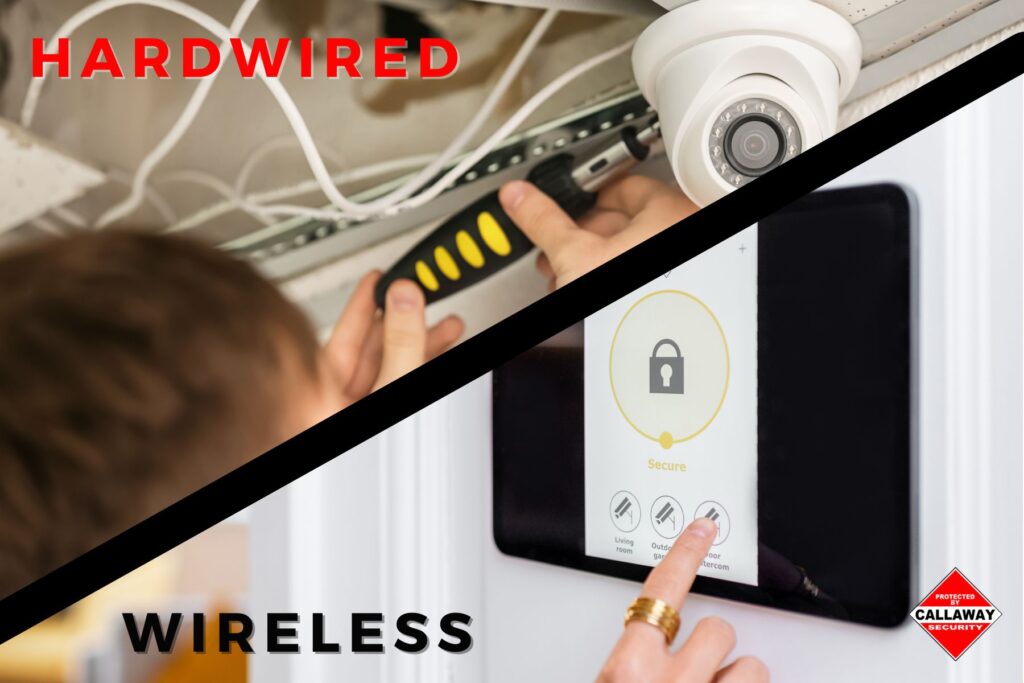
When we’re comparing wired versus wireless security cameras, the answer boils down to what matters most for your specific situation. Wired cameras deliver rock-solid reliability and crystal-clear footage through physical cable connections, making them perfect for homeowners wanting permanent setups. Wireless cameras, on the other hand, give us incredible flexibility with easy installation and the freedom to move them around—ideal for renters or anyone wanting a quick DIY solution.

Here’s the real deal: we’re living in a time where protecting our homes has become easier than ever, but picking between these two technologies can feel overwhelming. Both wired and wireless security systems have carved out their own space in the home security world, and understanding what each brings to the table helps us make smarter choices about safeguarding what matters most.

The conversation around home security has shifted dramatically over the past few years. We’ve moved beyond those grainy, black-and-white feeds you’d see in old movies. Today’s surveillance equipment packs serious punch—whether it’s connected through cables or broadcasting over your home network. The question isn’t really about which technology is “better” in some absolute sense. It’s about matching the right tool to your unique needs, budget, and living situation.

Key Takeaways:

  • Wired systems provide unbeatable stability through direct physical connections that aren’t affected by signal interference or network congestion
  • Wireless cameras win on convenience with installation that takes minutes instead of hours, plus the ability to reposition them whenever needed
  • Video quality typically favors wired setups since they handle higher bandwidth without compression issues that can blur important details
  • Battery management becomes a real chore with wireless cameras requiring charges every few months, while wired systems run continuously
  • Installation costs hit differently—wireless cameras save money upfront, but wired systems often prove more economical over time when considering professional installation as a one-time expense
  • Security vulnerabilities vary by type—wired cameras face physical tampering risks, while wireless systems can be targeted through signal jamming or network attacks
  • Property size matters big time when choosing between systems, with larger spaces benefiting from wired infrastructure and smaller areas working great with wireless
Callaway security™ ad scaled

Understanding Wired Security Camera Systems

Wired security cameras work by sending video data and receiving electrical power through physical cables that connect each camera to a central recording device. Most modern setups use something called Power over Ethernet (PoE), which is basically a fancy way of saying one cable handles everything—no need for separate power cords and data lines cluttering up your walls.

We’ve seen these systems become the go-to choice for serious security installations, and there’s good reason for that. The physical connection creates a dedicated pathway for your video feed that isn’t competing with your kid’s online gaming session or your spouse’s video conference. That dedicated line means your footage stays smooth and detailed, even when everyone else in the house is maxing out the internet.

The Rock-Solid Reliability Factor

Think about it this way: when your security depends on a physical wire, there’s no worrying about whether the Wi-Fi signal reaches that back corner of your property. Wired cameras just work, day in and day out, without the hiccups that can plague wireless connections. We’re talking about surveillance that doesn’t care if your neighbor just set up a new router on the same channel or if a microwave oven is running nearby.

The consistency these systems provide makes them favorites for commercial properties, but homeowners increasingly recognize that same reliability matters when protecting family and possessions. There’s something reassuring about knowing your cameras are always recording, always watching, without depending on signal strength bars or battery percentages.

Video Quality That Actually Shows Details

Here’s where wired systems really flex their muscles. Because they’re pushing data through cables instead of compressing everything to fit through wireless channels, we get footage that’s noticeably sharper. Those extra pixels matter when you’re trying to read a license plate number or identify someone’s face from across the yard.

The bandwidth advantage means we can crank up resolution settings without worrying about lag or stuttering. Some wired systems support 4K video feeds across multiple cameras simultaneously—try pulling that off with wireless cameras sharing your home network, and you’ll quickly see the difference. The clarity isn’t just about bragging rights; it’s about having usable evidence if something actually happens.

Installation Challenges We Can’t Ignore

Let’s be straight about this: installing wired cameras isn’t a Saturday afternoon project for most folks. Running cables through walls, drilling holes, fishing wires through attics or crawlspaces—it’s real work that often requires calling in professionals. We’re looking at installation costs that can hit $150 to $500 per camera when including labor charges.

The process gets messy. Drywall dust, potential electrical considerations, making sure cables are properly protected and concealed—it adds up to a significant investment in both time and money. For renters, this option usually isn’t even on the table since landlords rarely approve of drilling holes throughout their properties.

But here’s the flip side: once that installation is done, it’s done. You’re not dealing with ongoing maintenance headaches, battery swaps, or signal optimization. The upfront pain translates to long-term peace of mind.

Exploring Wireless Security Camera Technology

Wireless security cameras transmit video over your existing Wi-Fi network instead of through physical cables, and they typically run on rechargeable batteries or solar panels (though some still plug into outlets for power). The “wireless” part refers to how they send data, giving us freedom to position cameras pretty much anywhere within Wi-Fi range.

This technology has exploded in popularity because it removes the biggest barrier most people face with home security: complicated installation. We’re talking about mounting a camera, connecting it to your network through a smartphone app, and boom—you’re monitoring your property. No contractor needed, no walls torn apart, no electrical work required.

Installation That Anyone Can Handle

The beauty of wireless cameras lies in their simplicity. Most of us can go from unboxing to live surveillance in under an hour. Mount the camera where you want it, download the manufacturer’s app, follow the on-screen instructions to connect to Wi-Fi, and you’re watching live footage on your phone.

This accessibility has democratized home security in a real way. We don’t need technical expertise or special tools—just a drill for mounting (sometimes not even that if we’re using magnetic mounts or stands) and a smartphone. The DIY approach saves hundreds in installation costs and lets us experiment with camera placement until we find the perfect angles.

Flexibility That Adapts to Changing Needs

Life doesn’t stay static, and neither should our security setup. Maybe that camera watching the driveway would work better covering the backyard now that we’ve added a new gate. With wireless cameras, we just unmount, remount, and reconnect—done in minutes.

This portability becomes especially valuable for renters who need security but know they’re moving in a year or two. Take the cameras with you, set them up at the new place, and your investment travels right along. We’ve also found them perfect for seasonal needs, like monitoring a vacation property or keeping an eye on home renovations from afar.

The Battery Reality Check

Here’s where wireless cameras demand honest conversation. Those batteries don’t last forever, and managing their charge cycles becomes part of life. Most systems run anywhere from two to six months on a charge, depending on how actively they’re recording, what resolution you’re using, and how often motion triggers recording.

Cold weather absolutely hammers battery performance. We’ve seen cameras that normally last four months drop to six weeks during winter. The maintenance schedule—checking battery levels, climbing ladders to retrieve cameras for charging, remembering to put them back up—adds a layer of ongoing responsibility that wired systems simply don’t have.

Some manufacturers have introduced solar panel accessories that help, but those only work in spots with decent sun exposure. The bottom line: wireless convenience comes with the trade-off of regular battery babysitting.

Comparing Key Performance Factors

Video Quality and Compression

The quality gap between wired and wireless footage becomes obvious when we compare side-by-side recordings. Wireless cameras compress video data to squeeze it through Wi-Fi channels, which means some detail gets sacrificed in the process. Think of it like the difference between a high-definition movie file and the same movie streamed at medium quality—both show the action, but one reveals more nuance.

Wired systems transmit uncompressed or lightly compressed video, preserving every pixel the camera sensor captures. This matters tremendously when trying to identify someone from footage or read text in the frame. The extra clarity could be the difference between useful evidence and frustrating ambiguity.

FeatureWired CamerasWireless Cameras
Typical ResolutionUp to 4K consistently1080p to 4K (with compression)
Video CompressionMinimal to noneSignificant (H.264/H.265)
Bandwidth RequirementsDedicated cable bandwidthShares home network
Detail PreservationExcellentGood to very good

Network Impact and Bandwidth

Running multiple wireless cameras simultaneously can absolutely bog down your home network. We’re streaming high-definition video in multiple directions at once, which competes with everything else happening online. Families with heavy internet usage—streaming services, gaming, video calls—often notice performance hits when several cameras are actively recording.

Wired cameras bypass this issue entirely by operating on their own infrastructure. Your internet speed stays available for actual internet activities, while the camera network runs independently. This separation prevents the frustrating situation where checking your security footage causes your streaming movie to buffer.

Security Vulnerabilities and Threats

Both systems face security challenges, just different kinds. Wired cameras can be physically disabled if intruders find and cut the cables, though proper installation with concealed wiring mitigates this risk significantly. The bigger concern for wireless systems involves digital threats.

Signal jamming devices—which criminals can unfortunately purchase online—can block Wi-Fi connections and temporarily blind wireless cameras. Hackers can potentially target poorly secured wireless cameras to access footage or even use them as entry points into home networks. While these attacks aren’t common, they represent vulnerabilities that wired systems largely avoid.

We can protect wireless cameras with strong passwords, network encryption (WPA3 is best), regular firmware updates, and separate network segments for smart home devices. Taking these precautions seriously reduces risk substantially.

Cost Analysis: Initial Investment and Long-Term Expenses

Upfront Costs Breakdown

The sticker shock hits differently depending on which route we choose. A single wireless camera might run $50 to $250, and we can start with just one or two to fit a tight budget. Wired systems demand more comprehensive planning—a four-camera setup with recording equipment and professional installation typically costs $600 to $2,000 total.

That price difference seems dramatic at first glance, and it is. Wireless cameras let us dip our toes into home security without breaking the bank immediately. We can scale up gradually, adding cameras as budget allows. Wired systems require a bigger commitment upfront but deliver more capability from day one.

Hidden Costs Over Time

The financial story doesn’t end at purchase, though. Wireless cameras often push users toward cloud storage subscriptions since local storage options can be limited. Those monthly fees—anywhere from $3 to $30 per camera—add up fast across multiple cameras and years of use.

Battery replacements eventually become necessary as rechargeable batteries degrade. After a few years, we’re looking at replacement costs that chip away at the initial savings. Wired systems avoid these recurring expenses, running on grid power without subscription requirements (though some users still opt for cloud backup).

Cost FactorWired SystemWireless System
Initial 4-Camera Setup$600-$2,000$200-$1,000
Installation Labor$400-$1,200$0 (DIY)
Monthly SubscriptionsOptionalOften required ($10-$30/camera)
Battery ReplacementsN/A$20-$50 every 2-3 years per camera
Power CostsMinimal increase in electric billBattery charging costs (minimal)

Choosing the Right System for Your Situation

When Wired Makes Perfect Sense

Homeowners planning to stay put for years find wired systems make excellent long-term investments. The higher upfront cost amortizes across years of maintenance-free operation. Properties we own give us the freedom to modify as needed without worrying about landlord approval or keeping walls pristine.

Large properties benefit enormously from wired infrastructure. Trying to cover multiple acres with wireless cameras creates Wi-Fi range headaches and requires mesh networks or repeaters. Running cables to strategic points provides reliable coverage without wireless limitations.

Businesses and anyone needing 24/7 continuous recording should strongly consider wired options. The ability to record constantly without battery concerns means no gaps in footage. This matters for insurance purposes, legal evidence, or simply having complete peace of mind about what happened and when.

When Wireless Fits Better

Renters get obvious benefits from wireless systems—no permanent modifications required, easy removal when moving, and immediate setup without contractor coordination. The portability factor alone makes wireless cameras the practical choice for temporary living situations.

Smaller homes and apartments work great with wireless cameras since we’re covering less area and Wi-Fi signals typically reach everywhere needed. A two or three-camera setup handles most scenarios without overwhelming the network or requiring complex infrastructure.

Anyone wanting to test different camera positions before committing will appreciate wireless flexibility. We can experiment with angles, heights, and locations until finding what works best, then make adjustments whenever priorities shift.

The Hybrid Approach That Often Works Best

We’ve found many homeowners get excellent results by mixing both technologies. The idea is simple: use wired cameras for critical monitoring points that need absolute reliability, then supplement with wireless cameras for flexible coverage in secondary areas.

For example, wired cameras might cover main entrances, driveways, and ground-floor windows—places where security matters most and professional installation makes sense. Wireless cameras then fill in gaps, monitoring side yards, garage interiors, or package delivery areas where we want coverage but don’t need 24/7 recording.

This balanced approach maximizes strengths while minimizing weaknesses. We get the reliability and quality where it counts most, plus the convenience and flexibility for supplemental monitoring.

Additional Critical Considerations

Weather Resistance and Environmental Factors

Outdoor cameras face harsh conditions—rain, snow, extreme heat, bitter cold. Both wired and wireless cameras come in weatherproof versions rated for outdoor use, but environmental factors affect them differently. Cold temperatures murder wireless camera battery life, sometimes cutting runtime in half during winter months.

Wired cameras connected to steady power don’t care about the thermometer, though extreme cold can still affect some components. Direct sun exposure creates challenges for any camera—heat buildup and lens flare—but wired systems better handle the thermal stress since they’re not managing battery temperatures simultaneously.

Recording and Storage Options

Wired systems typically connect to Network Video Recorders (NVRs) that store footage locally on hard drives. We’re talking terabytes of storage that can hold weeks or months of continuous recording. This local storage means no monthly fees and complete control over our data.

Wireless cameras often rely heavily on cloud storage, though some models include SD card slots for local backup. The catch: limited battery life means most wireless cameras only record motion-triggered clips rather than continuously, which can miss events that happen outside motion detection zones.

Smart Home Integration

Modern security cameras—both wired and wireless—increasingly integrate with smart home ecosystems. We can link them to Amazon Alexa, Google Home, or Apple HomeKit for voice control and automation. Wireless cameras generally offer easier integration since they’re already connected to home networks.

Wired systems can absolutely integrate too, especially newer IP-based cameras, though setup might require a bit more technical configuration. The integration lets us do cool things like having lights turn on automatically when cameras detect motion, or viewing camera feeds on smart displays throughout the house.

Maintenance Requirements Over Time

Wired cameras need surprisingly little attention once installed. Maybe clean the lenses occasionally, update firmware periodically—that’s about it. The lack of batteries eliminates the biggest ongoing maintenance headache, and stable connections mean less troubleshooting.

Wireless cameras demand more regular attention. Battery charging schedules, cleaning lenses (especially solar panels if equipped), checking Wi-Fi connection strength, updating firmware—the to-do list stays active. We need to stay on top of maintenance to ensure cameras actually work when we need them.

Frequently Asked Questions

Is it better to have wired or wireless security cameras for most homes?

For most homeowners planning long-term installations, wired security cameras provide better overall value despite higher upfront costs because they offer superior reliability, video quality, and freedom from battery maintenance. However, wireless cameras make more sense for renters, smaller properties, or anyone prioritizing quick DIY installation over maximum performance. The “better” choice ultimately depends on whether we value convenience and flexibility more than reliability and quality—neither answer is wrong, just different based on personal priorities and living situations.

Are wired security systems better than wireless ones for preventing crimes?

Wired security systems do provide slightly better crime deterrence because they’re harder for criminals to disable—there’s no wireless signal to jam, and properly installed hidden cables can’t be easily cut. That said, visible cameras of any type deter most opportunistic criminals who’d rather target easier properties. What matters more than wired-versus-wireless is having comprehensive coverage, proper positioning, and clear signage indicating surveillance is active. A well-designed wireless system beats a poorly implemented wired setup every time for actual crime prevention.

How long do batteries last in wireless security cameras?

Battery-powered wireless security cameras typically last between two and six months per charge under normal conditions, though this varies dramatically based on usage patterns and environmental factors. Cameras recording frequently due to high-traffic areas drain faster than those in quiet spots. Cold weather can cut battery life in half compared to mild temperatures, while features like continuous live viewing or high-resolution recording accelerate drain significantly. Some premium models claim up to 400 days with solar panel accessories, but real-world results usually fall shorter than manufacturer estimates.

Can wireless security cameras work without internet?

Wireless security cameras can function without internet connectivity, but they lose most smart features we’ve come to expect from modern systems. Without internet, we can’t view live feeds remotely on smartphones, receive motion alerts, or upload footage to cloud storage. However, cameras with local storage (SD cards) continue recording locally, and we can access footage by physically retrieving the camera or connecting directly to the same local network. Some systems support direct Wi-Fi connection to phones without internet routing, though this limits monitoring to close proximity.

What happens to wired security cameras during power outages?

Wired security cameras stop functioning during power outages unless we’ve installed backup power solutions like uninterruptible power supplies (UPS) or generators. A UPS system designed for security cameras can keep a typical four-camera setup running for several hours, while whole-home generators provide indefinite backup if we’re willing to invest more. This vulnerability represents one of wired systems’ main weaknesses compared to battery-powered wireless cameras that continue operating during outages—though those batteries eventually drain too if power stays out long enough.

Making Your Home Security Decision With Confidence

Choosing between wired and wireless security cameras really comes down to matching technology to lifestyle. We’ve explored how wired systems deliver unmatched reliability and video quality through physical connections that never worry about signal strength or battery percentages. These cameras work brilliantly for homeowners ready to invest in permanent security infrastructure that’ll protect properties for decades with minimal fuss.

At the same time, wireless cameras have revolutionized home security by removing installation barriers that once kept many folks from setting up surveillance at all. The flexibility to position cameras anywhere, move them as needs change, and avoid contractor costs makes wireless technology perfect for renters, temporary situations, or anyone wanting security without commitment.

The performance differences matter—wired cameras absolutely provide sharper footage and more dependable operation. But wireless cameras deliver something equally valuable: accessibility and convenience that gets more people actually using security cameras in the first place. A wireless system that’s installed and working beats a wired system that stays in the planning phase indefinitely.

We’ve seen countless homeowners find success with hybrid approaches, using wired cameras where reliability matters most and wireless cameras for flexible supplemental coverage. This balanced strategy captures benefits from both technologies while sidestepping the worst limitations of each. There’s genuine wisdom in not forcing an either-or choice when mixing and matching serves our needs better.

Whatever direction we choose, the important thing is getting cameras installed and monitoring our properties. The best security system isn’t the one with the most impressive specifications—it’s the one we actually set up and maintain consistently. Whether that means running cables through walls or mounting battery-powered cameras in minutes, protecting what matters most is what counts at the end of the day.

Your safety is our priority! Whether you need wired or wireless security cameras, we’ve got the perfect solution to keep your home or business secure. With reliable monitoring, expert installation, and advanced security technology, Callaway Security™ ensures 24/7 protection and peace of mind.

🚨 Secure your property today! Contact us now to get started.

Callaway Security Logo

Looking for Home Security?

We're Just A Call-Away!