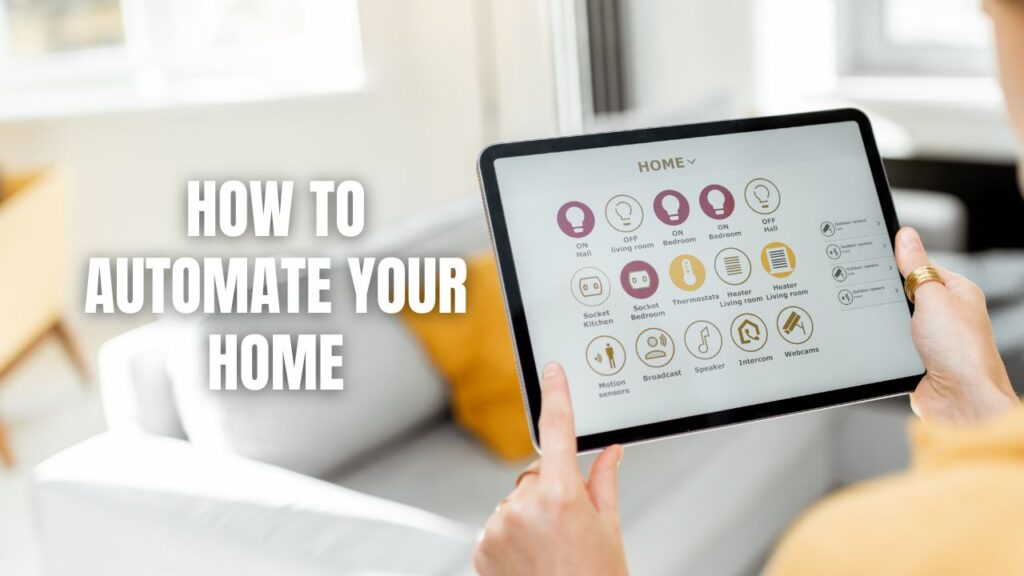
You automate your home by picking one platform, starting with smart lighting or a thermostat, and then adding security devices and routines one step at a time. That’s it. No need to buy everything at once.
A smart home doesn’t happen overnight, and honestly, it shouldn’t. We’ve seen folks buy a dozen gadgets in one weekend, only to end up with a pile of devices that don’t talk to each other. The smarter move? Start small, build a foundation, then grow. A solid setup usually kicks off with lighting or temperature control, then expands into security, daily routines, and whole-home automation that actually makes life easier instead of more complicated.
Key Takeaways:
- Pick one ecosystem first — it’s the “brain” that ties your devices together.
- Wi-Fi matters — smart devices need strong, stable coverage in every room.
- Start with lighting or a thermostat — easy wins that build confidence.
- Layer in security next — locks, cameras, and sensors protect what matters.
- Routines save time — automate the boring stuff so you don’t have to think about it.
- DIY vs. pro depends on your comfort level, budget, and how hands-on you want to be.
Start With a Platform
Your home automation journey starts with choosing one central system, not five different apps fighting for control. Think of this platform as the brain of your whole setup. Every light, lock, and sensor reports back to it.
Why One Ecosystem Beats Many
Mixing brands without a common platform is a recipe for headaches. Common approaches include voice assistants, a smart home hub, or app-based automation that links multiple brands under one roof. Pick one lane and stick with it, at least at the start. You can always expand later once you know what you actually use.
Don’t Skip the Wi-Fi Check
Here’s the thing nobody tells you: a smart home is only as good as its network. Reliable Wi-Fi is the backbone of any automation setup, since every device depends on stable coverage across the home. If your router struggles to reach the back bedroom, your smart plug out there is going to struggle too. A mesh system or a couple of extenders can fix that fast.
Best First Devices
You don’t need to automate everything at once. A good beginner setup usually includes a small handful of devices that deliver real, noticeable value:
| Device | What It Does | Why Start Here |
|---|---|---|
| Smart lights | Schedules, scenes, remote control | Easy install, instant payoff |
| Smart thermostat | Learns your habits, saves energy | Cuts utility bills, adds comfort |
| Smart locks | Keyless entry, remote locking | Boosts everyday security |
| Security cameras | Live view, alerts, recordings | Peace of mind, day or night |
| Leak sensors | Early warning for water damage | Protects basements, kitchens |
| Motion sensors | Detects movement at entry points | Catches what you might miss |
If home security is a top priority for your household, lean toward locks and cameras early. If comfort and savings matter more right now, lighting and a thermostat are your best first move.
Useful Automations Worth Setting Up
Once the basics are installed, the real fun begins, building routines that take chores off your plate. This is where automation stops being a gadget and starts being a habit.
Everyday Routines
A few automations that homeowners love right out of the gate:
- Lights turning on automatically at sunset.
- Thermostat adjusting itself the moment you leave the house.
- AC shutting off when a window opens.
- Robot vacuum running its route while nobody’s home.
Scene-Based Automation
You can also bundle multiple devices into one command, called a “scene.” Say “good night,” and the lights dim, the doors lock, and the thermostat drops a few degrees. Other popular scenes include “away” and “movie time.” One word, several actions, zero effort.
DIY or Professional Installation: Which Fits You?
This really comes down to how hands-on you want to be, and what kind of timeline you’re working with.
DIY home automation is usually cheaper and gives you more control over every detail. The trade-off is setup time and a bit of troubleshooting along the way.
Professional installation tends to be smoother and more polished from day one, though it costs more upfront. For folks who’d rather skip the learning curve, this is often worth it.
If you’re comfortable poking around an app and don’t mind a little trial and error, DIY is often the most flexible way to build your system gradually. If you want it done right, done once, and backed by experts, professional help is the way to go. You can learn more about professional home automation setups here.
A Simple Plan to Get Started
Ready to actually do this? Here’s the order that works:
- Pick one ecosystem to serve as your home’s control center.
- Improve your Wi-Fi coverage if any rooms are weak spots.
- Add smart lighting or a thermostat as your first devices.
- Expand into security with locks, cameras, and sensors.
- Build routines that match how your household actually lives.
For homeowners in Atlanta, a strong first project is pairing smart security with smart lighting: cameras at entry points, motion-triggered lights, and a “home” or “away” routine tied to your phone’s location. It’s a setup that’s both practical and genuinely satisfying to use.
Additional Details Worth Knowing
- Smart thermostats can lower energy use by learning your schedule and adjusting automatically, often without you lifting a finger.
- Motion sensors placed near entry points and basements catch problems early, before they turn into costly repairs.
- Leak sensors are a small investment that can prevent major water damage, especially in homes with finished basements.
- Scenes and routines reduce daily decision-making, which is a small but real quality-of-life upgrade.
- A phased rollout (lighting first, security second) tends to cost less over time than buying everything in one big purchase.
Frequently Asked Questions
What is the easiest way to start automating my home?
The easiest entry point is smart lighting or a smart thermostat. Both install fast, connect to most major platforms, and show results right away.
Do I need a smart hub for home automation?
Not always. Many devices connect directly through a voice assistant or app, though a hub can make a large, multi-brand setup easier to manage.
Is DIY home automation reliable for security?
Yes, DIY locks, cameras, and sensors can be reliable, but professional installation often adds extra polish, support, and peace of mind for security-focused setups.
How important is Wi-Fi for a smart home?
It’s essential. Weak Wi-Fi leads to laggy devices and missed alerts, so strong, consistent coverage across the home should be a priority from the start.
Can I automate security and lighting together?
Absolutely. Pairing motion-triggered lights with cameras and a home/away routine is one of the most popular and effective combinations homeowners set up first.
Bringing Your Smart Home Together
Home automation works best as a journey, not a single shopping trip. Start with one platform, get your Wi-Fi solid, add a device or two, and build from there. Before long, you’ll have a home that responds to your life instead of the other way around.
If you’re in the Atlanta area and want a setup that blends smart security with smart lighting, the team at Callaway Security & Sound can help you build a system that fits your home and your habits. Reach out to Callaway Security & Sound today and let’s get your home working smarter, together.