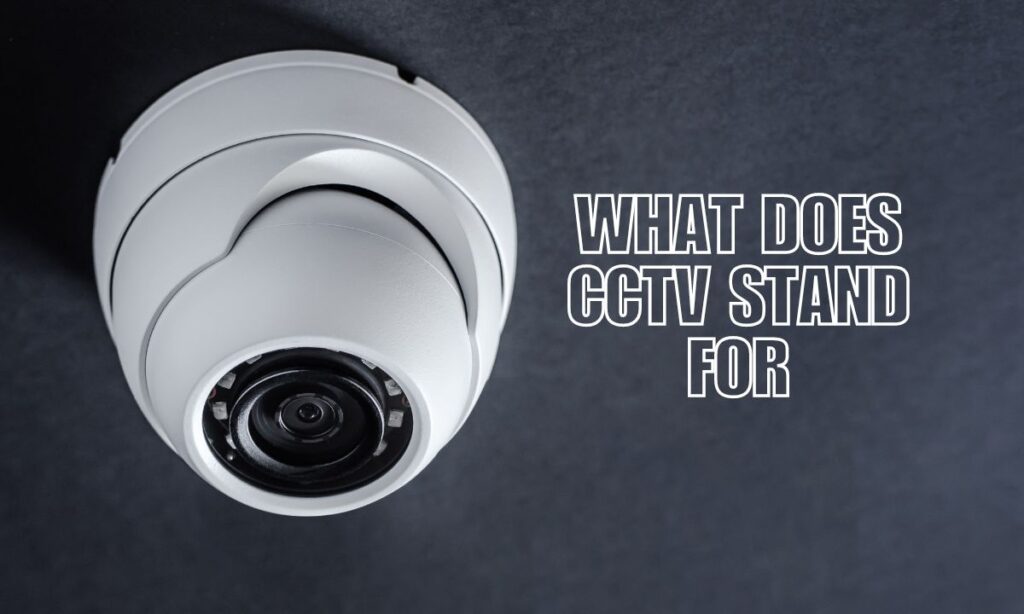
CCTV stands for Closed-Circuit Television — a video surveillance system that sends footage to a specific, limited set of monitors instead of broadcasting it to the public.
Think of it as your own private TV network, but instead of showing your favorite shows, it keeps watch over your home, business, or property 24/7.
Key Takeaways:
- CCTV = Closed-Circuit Television
- It sends video footage to a closed loop of screens — not to the general public
- CCTV cameras are used in homes, businesses, schools, and public spaces
- Modern CCTV systems can record, store, and stream footage remotely
- A well-placed CCTV system deters crime and gives you peace of mind
- Professional security camera installation makes all the difference in coverage and performance
Breaking It Down: What “Closed-Circuit” Really Means
“Closed-circuit” is the key phrase here. It means the video signal travels through a closed loop — from the camera, straight to your monitor or recording device — and nowhere else.
This is different from regular broadcast TV, which sends signals out to anyone with a receiver. With CCTV, only authorized people can see the footage. That makes it a trusted tool for security and privacy alike.
Open Circuit vs. Closed Circuit
| Feature | Open Circuit (Broadcast TV) | Closed Circuit (CCTV) |
|---|---|---|
| Who can view it? | Anyone with a receiver | Only authorized users |
| Signal destination | Public | Private monitors/recorders |
| Purpose | Entertainment | Surveillance & security |
| Examples | Network TV, cable | Home cameras, store cameras |
How Does a CCTV System Work?
A CCTV setup is simpler than most people think. Here’s the basic flow:
- Camera captures footage — indoors or outdoors
- Signal travels through a cable (or wirelessly) to a recorder
- DVR or NVR records the footage for later review
- Monitor displays the live or recorded feed
- You (or your security team) review the footage as needed
Modern systems also let you watch your cameras live from your phone — anywhere, anytime. That’s a game-changer for home security and business protection.
Types of CCTV Cameras You Should Know
Not all CCTV cameras are built the same. Here’s a quick breakdown of the most common types:
Dome Cameras
- Shaped like a dome — subtle and stylish
- Great for indoor use (offices, lobbies, hallways)
- Hard to tell which direction they’re pointing — great deterrent
Bullet Cameras
- Long, cylindrical shape — easy to spot
- Built for outdoor use and long-distance viewing
- Highly visible, so they scare off potential intruders fast
PTZ Cameras (Pan-Tilt-Zoom)
- Can rotate and zoom in on specific areas
- Ideal for large spaces like parking lots or warehouses
- Often controlled remotely in real time
IP Cameras (Internet Protocol)
- Connects over your Wi-Fi or network
- Sends high-definition footage digitally
- Easy to monitor remotely via an app or browser
Where Is CCTV Used?
CCTV systems show up pretty much everywhere these days. Here are the most common places:
| Location | Why They Use CCTV |
|---|---|
| Homes | Monitor property, deter burglars, check on kids or pets |
| Retail stores | Prevent shoplifting and monitor staff areas |
| Schools | Keep students safe and track unauthorized access |
| Banks | Record transactions and identify fraud |
| Parking lots | Reduce vehicle theft and vandalism |
| Hospitals | Monitor entrances, exits, and sensitive areas |
Why CCTV Matters for Your Home or Business
Let’s be real — safety is priceless. A solid CCTV system does more than just record what happens. It actively prevents crime by making your property a less attractive target.
Here’s what a good surveillance setup brings to the table:
- Crime deterrence — Visible cameras make thieves think twice
- Evidence collection — Footage can be used in legal cases
- Remote monitoring — Check in on your property from your phone
- Employee accountability — Helpful in workplace environments
- Insurance benefits — Some insurers lower premiums for monitored properties
If your current system is outdated, consider a security system upgrade to get the most out of modern CCTV technology.
Analog vs. IP CCTV: What’s the Difference?
There are two main types of CCTV systems on the market today:
| Feature | Analog CCTV | IP (Digital) CCTV |
|---|---|---|
| Image quality | Standard definition | High definition (HD/4K) |
| Installation | Uses coaxial cables | Uses network cables or Wi-Fi |
| Remote access | Limited | Full remote access via app |
| Storage | DVR (Digital Video Recorder) | NVR (Network Video Recorder) |
| Cost | Generally lower upfront | Higher upfront, more features |
| Scalability | Harder to expand | Easy to add more cameras |
For most homeowners and small businesses today, IP-based CCTV is the smarter pick — better picture, more flexibility, and remote access built right in.
What to Look for in a CCTV System
Shopping for cameras? Keep these factors in mind:
- Resolution — Go for at least 1080p (Full HD) for clear footage
- Night vision — Look for infrared (IR) capability for low-light recording
- Field of view — Wider angles cover more ground with fewer cameras
- Weather resistance — Outdoor cameras need an IP65 or higher rating
- Storage options — Cloud storage vs. local storage (DVR/NVR)
- Motion detection — Alerts you when something moves in the frame
- Two-way audio — Some cameras let you speak through them remotely
Getting a professional installation ensures your cameras are placed in the right spots and set up correctly from day one.
Additional Details Worth Knowing
- The first CCTV system was set up in 1942 in Germany to monitor rocket launches — wild, right?
- Today, there are an estimated 1 billion CCTV cameras operating worldwide
- The UK has one of the highest concentrations of CCTV cameras per person globally
- In the US, businesses and homeowners are the largest users of CCTV systems
- Most modern CCTV systems store footage for 30 to 90 days before overwriting
- Alarm monitoring paired with CCTV creates a much stronger security layer than cameras alone
FAQs About CCTV
What does CCTV stand for?
CCTV stands for Closed-Circuit Television. It’s a private video surveillance system that sends footage to specific, authorized monitors rather than broadcasting it publicly.
Is CCTV the same as a security camera?
Not exactly — but they’re closely related. All CCTV cameras are security cameras, but not all security cameras are CCTV. For example, some modern IP cameras stream over the internet, which technically makes them more “open-circuit.” That said, most people use the terms interchangeably in everyday conversation.
Can CCTV footage be used as legal evidence?
Yes! CCTV footage is widely accepted in court as evidence for crimes like theft, vandalism, assault, and more. The quality of the footage matters a lot — which is why high-resolution cameras are worth the investment.
How long does CCTV footage get stored?
It depends on your system and storage capacity. Most systems store footage for 30 to 90 days. After that, older footage is typically overwritten. Cloud-based systems often offer flexible storage plans.
Do I need a professional to install CCTV?
Technically, you can install basic cameras yourself. But for full coverage, correct camera angles, proper wiring, and reliable recording — professional installation is the smarter move. It saves you headaches down the road and ensures your system actually works when you need it most. If something goes wrong later, security system repair services can get you back up and running quickly.
The Bottom Line: CCTV Keeps What Matters Safe
CCTV — Closed-Circuit Television — is one of the most powerful, proven tools in the world of security. Whether you’re protecting your home, your business, or your loved ones, a well-designed camera system gives you eyes everywhere, around the clock.
From analog setups to cutting-edge IP systems, CCTV technology has come a long way — and it keeps getting better. The right system, installed correctly, can make a real difference in how safe and secure you feel every single day.
Ready to Upgrade Your Security? Callaway Security & Sound Has You Covered.
At Callaway Security & Sound, we make home and business security simple, reliable, and built around you. Whether you need a brand-new CCTV system, a professional install, or an upgrade to what you’ve already got — our team is ready to help.
👉 Get in touch with us today and let’s build the security setup that gives you real peace of mind.