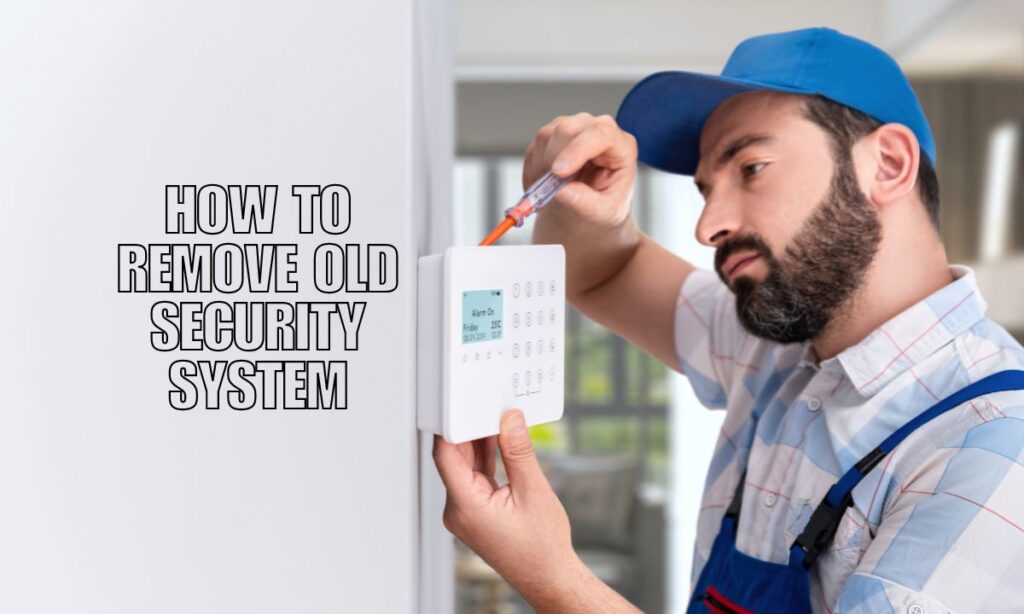
Removing an old security system is totally doable on your own — as long as you notify your monitoring company first, cut power properly, and handle the wiring with care.
Once you’ve got that covered, the rest of the process is pretty straightforward. Whether you’re upgrading to a newer system or just clearing out old gear, knowing the right steps keeps you safe and avoids any surprise visits from emergency services.
Key Takeaways:
- Always call your monitoring company first — skipping this step can trigger a false alarm and bring emergency responders to your door.
- Cut the power in the right order — unplug the transformer first, then remove the backup battery.
- Low-voltage wires are generally safe, but you don’t have to pull them out of the walls — just cap or tuck them.
- Wireless systems need account cancellation, not just sensor removal.
- When in doubt, call a pro — especially if you spot unfamiliar or high-voltage wiring.
What You Need To Do First
Before touching anything, contact your alarm monitoring company. This one step prevents false alarms and keeps emergency services from showing up at your home.
Here’s what to do before you grab a screwdriver:
- Call your monitoring company and let them know you’re disabling the system.
- Locate the control panel — it’s usually in a utility closet, basement, or hallway.
- Find the transformer (plugged into an outlet) and the backup battery (inside the control cabinet).
- Gather your tools — you’ll need a screwdriver, wire cutters, electrical tape or wire caps, and rubbing alcohol for adhesive cleanup.
How To Remove a Wired Security System Step by Step
A wired home security system has a few more parts to deal with, but the process is logical once you break it down.
Step 1 — Turn Off Monitoring
Confirm with your provider that monitoring is paused or canceled. Get a confirmation number if possible. This is your safety net before anything else happens.
Step 2 — Disconnect the Main Power
Unplug the transformer from the wall outlet, or switch off the dedicated circuit at your breaker box. This cuts power to the control panel.
Step 3 — Remove the Backup Battery
Open the control cabinet. You’ll find a battery connected by two wires. Disconnect it carefully and set it aside for proper recycling — most hardware stores and electronics retailers accept them.
Step 4 — Take Down the Control Panel
Unscrew the panel from the wall. Behind it, you’ll find a bundle of low-voltage wires. You have two options:
| Option | What To Do |
|---|---|
| Not reusing wires | Cap each wire end with a wire nut or electrical tape, then tuck them back into the wall |
| Reusing for a new system | Label each wire and leave them accessible for your installer |
You usually do not need to pull wires out of the walls. Leave them — they’re not hurting anything.
Step 5 — Remove Sensors and Devices
Go room by room and uninstall each sensor:
- Hard-mounted sensors — unscrew them from door and window frames.
- Adhesive-mounted contacts — peel them off gently. Use rubbing alcohol on a cloth to remove any sticky residue left behind.
- Motion detectors — unscrew from corners or ceilings and disconnect any wiring.
Step 6 — Disconnect the Siren and Communicator
If your system has a separate outdoor or indoor siren, disconnect it per the manufacturer’s guide. Same goes for any telephone-line or cellular communicator — these need to be properly de-registered, not just unplugged.
How To Remove a Wireless Security System
Wireless systems are simpler to remove physically, but they need a bit more attention on the account side.
Here’s what to do:
- Cancel or transfer your monitoring plan with your provider before removing anything.
- De-register each device from the control panel — most providers have an app or web portal for this.
- Remove batteries from all sensors and devices.
- Uninstall sensors from doors, windows, and walls — most are held by adhesive or a single screw.
Some providers require you to return the devices or officially close your account before they stop monitoring. Check with yours to avoid ongoing charges.
Wiring Safety: What You Should Know
Most alarm systems run on low-voltage wiring (typically 12V or less), which is generally safe to handle. But there are a few things to keep in mind:
- Never cut wires before notifying your monitoring company — this can trigger an alarm even without power.
- Leave in-wall wiring in place unless you have a reason to remove it. Capping the ends is enough.
- High-voltage wiring is a different story. If you see thick wires, a breaker connection you don’t recognize, or anything that looks like it belongs in your electrical panel — stop and call a licensed electrician.
For peace of mind, you can also reach out for professional security system repair if you’re unsure about the wiring situation at your home.
Quick Removal Checklist
Use this as your go-to guide on removal day:
- Call monitoring company and confirm system is paused
- Unplug transformer from outlet or shut off breaker
- Open control cabinet and remove backup battery
- Take down control panel — cap or tuck wires
- Remove all sensors (unscrew or peel off)
- Disconnect siren and communicator
- Clean up adhesive residue with rubbing alcohol
- Recycle battery and dispose of electronics properly
- Confirm monitoring is officially canceled
When To Call a Professional
Some situations are better left to the experts. Here’s when you should skip the DIY route:
| Situation | Why You Need a Pro |
|---|---|
| System is hardwired into home electrical | Risk of high-voltage contact |
| Communicator is integrated into broadband or landline | Complex de-registration required |
| Alarm company requires a technician for removal | May void contract or cause billing issues |
| You’re not comfortable with any step | Safety first, always |
If you’re planning to upgrade to a new system afterward, a professional installer can handle removal and setup in one visit — saving you time and hassle.
Additional Details Worth Knowing
- Backup batteries in alarm systems are typically 12V sealed lead-acid or lithium batteries. Don’t toss them in regular trash — take them to a recycling center.
- Most alarm wiring is Category 5 (Cat5) or similar low-voltage cable, which is completely safe to handle once power is off.
- Some older systems used phone lines to communicate with monitoring centers. If yours does, your provider needs to know before you disconnect anything.
- Alarm permits — some cities require permits for alarm systems. When you decommission yours, check if you need to notify your local municipality.
- A professional home security installation can reuse existing in-wall wiring when you’re ready for a new system — so don’t be too quick to rip everything out.
FAQs: Removing an Old Security System
Do I need a professional to remove my old security system?
Not always. Most wired and wireless systems can be removed by a homeowner with basic tools. But if your system is hardwired into your home’s electrical panel or you’re unsure about the wiring, it’s safer to hire a licensed electrician or security technician.
What happens if I remove my alarm system without notifying the monitoring company?
Your system may send a tamper alert or trigger an alarm, which could result in emergency services being dispatched to your home — and possibly a false alarm fee. Always call your provider first.
Can I leave the wiring in the walls after removing the system?
Yes, and that’s usually the recommended approach. Low-voltage alarm wiring doesn’t need to be removed. Simply cap the ends with wire nuts or electrical tape and tuck them back into the wall.
How do I remove a security system that’s still under contract?
Contact your monitoring company directly. Depending on your contract terms, you may need to pay a cancellation fee or transfer the service. Some providers will send a technician to handle the removal themselves.
Can old security system parts be reused?
Some components like wiring, sensors, and sirens may be compatible with newer systems. It depends on the brand and protocol. A professional installer can assess what’s worth keeping when you set up home security alarm monitoring for a new system.
Ready To Move On From Your Old Security System?
Removing an old alarm setup is the first step toward better protection for your home. Whether you’re starting fresh or switching to a smarter solution, getting it done right matters.
At Callaway Security & Sound, we help homeowners remove outdated systems, upgrade to modern equipment, and set up reliable monitoring — all without the headaches. Our team knows home security inside and out, from security cameras to full system overhauls.
Contact Callaway Security & Sound today and let us handle the heavy lifting — so you can get back to feeling safe at home.