Yes — smart door locks are safe, and in many ways, they’re even safer than old-school traditional locks. That said, how safe yours actually is depends on the brand you pick, how you set it up, and how you manage it day to day.
Smart locks have come a long way. They’re no longer just a “cool gadget” — they’re a legit layer of home security that millions of homeowners now rely on. But like any tech, they come with trade-offs. Let’s break it all down so you can make a smart (pun intended) decision for your home.
Key Takeaways:
- Smart locks can be safer than traditional locks when set up correctly
- They remove the risk of lost or copied physical keys
- Risks exist — mainly from weak passwords, outdated firmware, and cheap hardware
- Strong encryption, two-factor authentication (2FA), and a good brand make a big difference
- Physical backup options (like a keyhole) are important to have
- Good habits — like updating firmware and rotating guest codes — keep your lock secure long-term
How Smart Door Locks Actually Protect You
Smart locks protect your home in ways that regular deadbolts simply can’t.
No More Key Copies
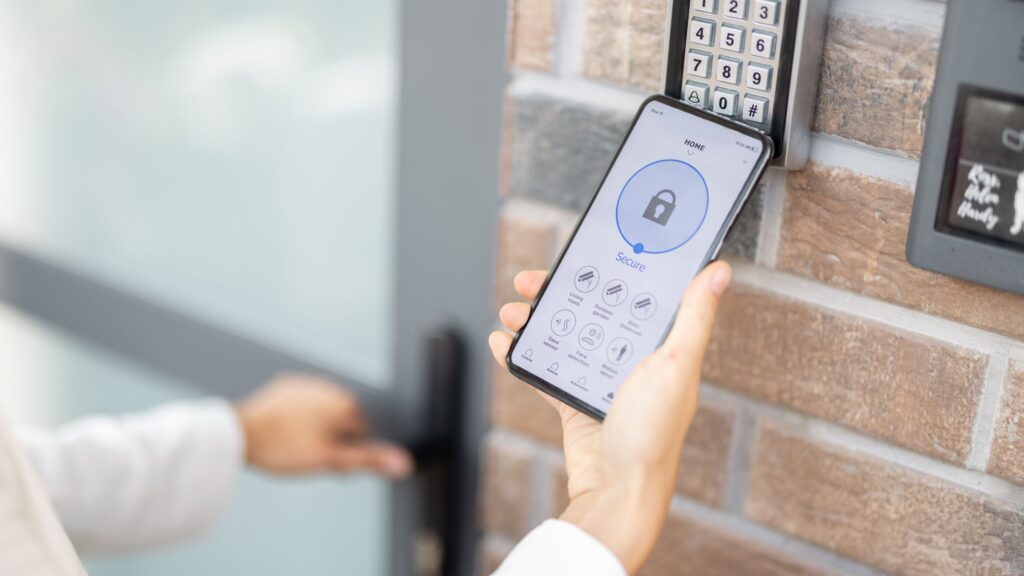
One of the biggest wins with smart locks is ditching physical keys altogether. Traditional keys can be lost, stolen, or quietly copied without you even knowing. With a smart lock, access is managed through digital codes, fingerprints, or smartphone apps — and each user gets their own credential. If someone leaves your household, you delete their access. Done.
Real-Time Alerts and Access Logs
Most smart locks keep a detailed log of every entry and exit. Some even send you a push notification the moment someone unlocks your door. This kind of visibility is something a regular lock just can’t give you. If something feels off, you’ll know fast.
Works With the Rest of Your Home Security System
Smart locks play well with others. Many models connect to:
| Feature | What It Does |
|---|---|
| Security cameras | Triggered recording when the door unlocks |
| Alarm systems | Automatic arm/disarm based on lock state |
| Smart home hubs | Auto-lock when no one’s home |
| Guest access codes | Temporary codes that expire after use |
When your lock is part of a bigger home security setup, your whole home responds faster and smarter to potential threats.
What Are the Real Risks of Smart Locks?
No tech is perfect, and smart locks have their weak spots too. Here’s what to watch out for.
Remote Hacking and Account Takeovers
Because smart locks connect to apps and the internet, they have an online attack surface that traditional locks don’t. If your account password is weak or you’re reusing it across sites, you’re leaving the door (literally) open for hackers.
The fix: Use a strong, unique password and turn on 2FA for your lock app.
Local Radio Signal Attacks
Some budget smart locks use poorly secured Bluetooth or Zigbee signals that can be intercepted or spoofed by someone nearby. This is less common but very real with lower-end devices.
The fix: Stick with brands that use modern encryption standards like AES or Z-Wave S2.
Physical Bypass — Just Like Any Lock
Smart or not, a lock is still a physical object. A determined burglar can try to force it, remove the smart module, or bypass the door frame entirely. If the hardware is cheap, that job gets easier.
The fix: Look for locks rated ANSI/BHMA Grade 2 or higher. That rating means the hardware itself is tough enough to resist physical attacks.
Dead Batteries and Tech Failures
If your smart lock runs out of battery, you could be locked out — unless the lock has a backup plan. Firmware bugs can also cause glitches at the worst time.
The fix: Choose a lock with a physical key override or external battery contacts so you’re never fully stranded.
What to Look For When Buying a Smart Lock
Shopping for a smart lock? Here’s a quick checklist to guide your decision:
| What to Look For | Why It Matters |
|---|---|
| AES encryption and HTTPS | Protects data traveling between your lock and app |
| 2FA support on the companion app | Stops account takeovers even if your password leaks |
| ANSI/BHMA Grade 2 or 3 hardware | Means the physical lock is tough enough to resist force |
| Physical key or mechanical override | Backup plan if tech fails or batteries die |
| Regular firmware updates | Keeps the lock patched against new security threats |
| Tamper detection and event logs | Alerts you if someone messes with the lock |
| Reputable brand with good support | You want someone to call if something goes wrong |
How to Make Your Smart Lock Even Safer
Once you’ve got a good lock installed, these habits will keep it tight:
- Use a unique, strong password on your lock app — no recycling passwords from other accounts
- Enable 2FA so a stolen password alone can’t unlock your door
- Keep firmware and app updates on auto — patches close security holes fast
- Put your lock on a separate IoT network or VLAN — not the same Wi-Fi your laptop or phone uses
- Limit and rotate guest codes — delete access for anyone who no longer needs it
- Check your access logs regularly — unusual activity shows up fast when you’re paying attention
These steps are easy to do once and then mostly forget about. Think of it like buckling your seatbelt — a small habit with a big payoff.
A Real-World Example of a Well-Set-Up Smart Lock
Here’s what a solid smart lock setup actually looks like in practice:
An ANSI Grade 2 smart deadbolt from a trusted brand, connected via Z-Wave S2 to a home hub on an isolated network. The app uses 2FA, firmware updates happen automatically, and delivery drivers get temporary codes that expire after one use.
That’s layered protection — convenience up front, real security underneath. This kind of smart security installation is what separates a truly safe setup from one that just looks the part.
Are Smart Locks Safer Than Traditional Locks?
In many day-to-day scenarios, yes — smart locks are safer. Here’s a quick comparison:
| Feature | Traditional Lock | Smart Lock |
|---|---|---|
| Key copying risk | High | None (no physical key needed) |
| Access logs | None | Full history with timestamps |
| Remote access control | No | Yes — revoke access from anywhere |
| Tamper alerts | No | Yes — real-time notifications |
| Firmware vulnerabilities | None | Possible (mitigated with updates) |
| Battery dependency | None | Yes (needs backup plan) |
The bottom line: traditional locks are simpler but give you less control. Smart locks give you more tools to protect your home — but those tools only work when you use them right.
Frequently Asked Questions
Can smart locks be hacked?
Yes, they can — but it’s not easy when the lock is set up correctly. Using strong passwords, enabling 2FA, and keeping firmware updated removes most of the risk. The bigger threat is usually weak account security, not the lock itself.
What happens if my smart lock’s battery dies?
Most quality smart locks include either a physical key slot or external battery contacts on the outside of the door. This lets you unlock it even if the internal battery is dead. Always check for this feature before buying.
Are smart locks safe from physical break-ins?
A smart lock with solid ANSI/BHMA Grade 2 or 3 hardware is just as resistant to physical attacks as a good traditional deadbolt — sometimes more so. The “smart” part doesn’t make it physically weaker.
Do smart locks work without Wi-Fi?
Many smart locks can still work offline using Bluetooth or saved PIN codes. Some features — like remote access and notifications — won’t work without a connection, but the lock itself still functions.
Are smart locks worth it for home security?
Yes — especially when paired with cameras, alarms, and professional alarm monitoring. The added visibility and control you get from a smart lock is a genuine upgrade over traditional hardware.
The Bottom Line: Smart Locks Are Safe When Used Right
Smart door locks are a solid, reliable way to protect your home — but only when you choose quality hardware, set it up properly, and stay on top of basic security habits. The risks are real, but they’re also very manageable. A good smart lock from a trusted brand, paired with strong account security and a layered home security system, gives you more control and visibility than a traditional lock ever could.
If you’re thinking about upgrading your locks or building out a full home security setup — from security cameras to alarm monitoring — the right team makes all the difference.
Ready to Upgrade Your Home Security?
At Callaway Security & Sound, we help homeowners build home security systems that actually work — from smart lock installation to full system upgrades and repairs. Whether you’re starting fresh or leveling up what you’ve got, our team is ready to help.
👉 Contact Callaway Security & Sound today and let’s build a setup you can trust.