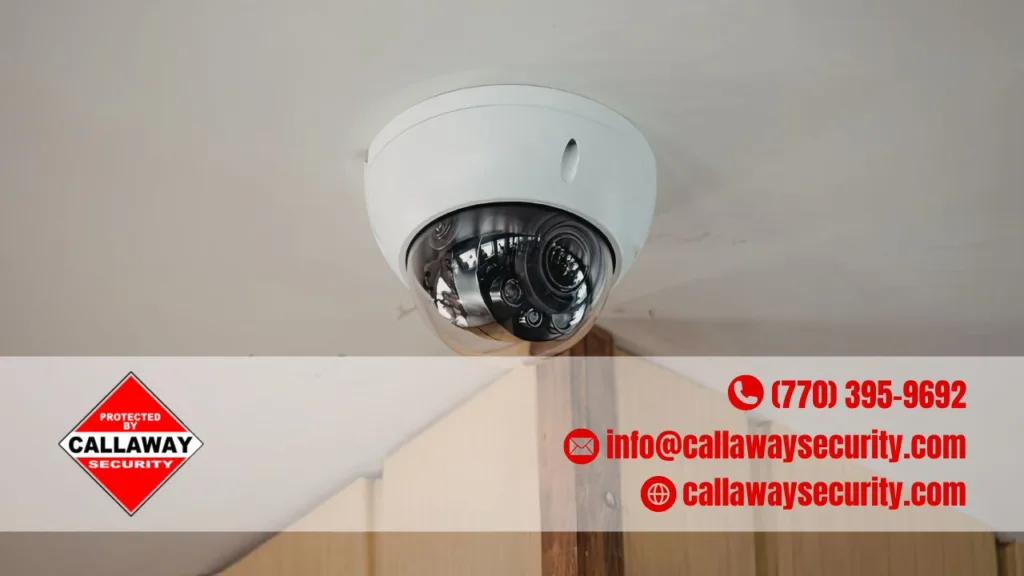
The best home security camera has clear video, solid night vision, smart motion detection, and secure storage. You also want one that matches your home’s setup — indoors or outdoors, wired or wireless, and cloud or local recording.
A good security camera does more than just record. It gives you peace of mind, keeps your family safer, and helps you keep an eye on things even when you’re miles away. Modern home security cameras deter crime, enable remote monitoring, speed up emergency response, and can even lower your home insurance premiums. With so many options out there today, knowing what to look for makes all the difference.
Key Takeaways:
- Resolution matters — go for at least 1080p; 2K or 4K is even better for spotting faces and license plates
- Night vision is a must — infrared is standard; color night vision and HDR are big bonuses outdoors
- Smart motion detection cuts down false alerts — AI filtering separates people from pets, cars, and trees
- Two-way audio adds an extra layer — talk to visitors or warn off intruders in real time
- Storage options vary — pick between local, cloud, or both, and check for monthly fees
- Weather resistance is non-negotiable for outdoor cameras — look for IP-rated, vandal-proof builds
- Strong encryption and a good app keep your footage private and accessible
Video Quality: Resolution and Field of View
Clear footage is the whole point of a security camera, so resolution is where we always start. At a minimum, look for clear 1080p resolution with night vision — but higher resolutions, color night vision, and HDR image quality give you clearer recordings at all hours of the day.
Here’s a quick breakdown:
| Resolution | Best For | Detail Level |
|---|---|---|
| 1080p (Full HD) | Small homes, indoor use | Good for general monitoring |
| 2K | Medium homes, driveways | Clearer faces and text |
| 4K (Ultra HD) | Large properties, entry points | License plates, fine details |
Field of view (FOV) also matters a lot. A wider angle means fewer cameras needed to cover big spaces like backyards or driveways. Most outdoor cameras offer between 110° and 180° FOV — the wider, the better for open areas.
Night Vision: Seeing in the Dark
Most break-ins happen at night, so a camera that goes blind after sunset is basically useless. Night vision features let you watch your home around the clock, and today’s cameras go way beyond the old grainy, green-tinted look.
What to compare:
- Infrared (IR) night vision — standard on most cameras; gives black-and-white footage in the dark
- Color night vision — uses ambient light to produce full-color footage, great for identifying clothing or vehicle colors
- HDR (High Dynamic Range) — reduces glare and balances shadows, especially useful near driveways or streetlights
For outdoor surveillance cameras, we recommend looking for at least IR night vision with a range of 30 feet or more. Color night vision is worth the upgrade if your budget allows.
Smart Motion Detection and Alerts
Nobody wants their phone blowing up every time a leaf blows by. Some cameras analyze footage to send alerts for people, faces, animals, vehicles, and even packages — and the frequency and sensitivity of alerts can usually be adjusted in the app.
AI-powered systems differentiate between humans, pets, and vehicles to reduce false alarms — a feature that goes by names like “person detection,” “smart detection,” or “AI filtering” depending on the brand.
Motion detection features worth having:
- Activity zones — lets you define specific areas to monitor, like a front door or gate
- Person-only alerts — filters out cars, animals, and moving trees
- Package detection — flags when a delivery is dropped off
- AI video description — instead of “person detected by driveway,” you get a detailed alert like “a person is looking inside parked cars”
Two-Way Audio: Talk Back in Real Time
Two-way audio is a must-have feature for any home surveillance camera worth its salt. It lets you hear and speak through the camera — whether that’s greeting a delivery driver, checking on a family member, or warning off someone who doesn’t belong.
Some professional monitoring services even allow trained agents to speak to intruders via two-way audio if motion is detected — a serious deterrent for would-be burglars.
Power and Setup: Wired vs. Wireless
How your camera gets its power affects how easy it is to install — and how much maintenance it needs. Here’s a side-by-side look:
| Power Type | Pros | Cons |
|---|---|---|
| Battery-powered | Easy to place anywhere, no wiring | Needs recharging |
| Solar-powered | Low maintenance, eco-friendly | Needs sunlight exposure |
| Plug-in (AC) | Reliable, always on | Limited placement flexibility |
| PoE (Power over Ethernet) | Super stable, wired connection | Requires CAT5/6 cabling |
| Hardwired | Most reliable long-term | Professional installation recommended |
For most homeowners who want flexibility, battery or plug-in cameras are the easiest starting point. If you want rock-solid reliability with no recharging, PoE or hardwired systems are the way to go.
Wi-Fi Connectivity Tips
Make sure your camera works well with your home’s Wi-Fi setup. Mixed networks with both 2.4 GHz and 5 GHz bands can sometimes cause connection issues. Larger homes benefit from mesh Wi-Fi support and multi-camera bundles to avoid blind spots.
Outdoor Durability: Built to Handle the Elements
If you’re placing cameras outside, weather resistance is non-negotiable. Weatherproof ratings like IP67 make cameras resistant to dust and water — meaning rain, snow, or intense heat won’t interrupt your monitoring.
Look for these ratings when shopping for outdoor CCTV cameras:
- IP65 — dust-tight, protected against water jets
- IP66 — dust-tight, protected against heavy water spray
- IP67 — dust-tight, can handle temporary submersion
- IK10 — vandal-resistant (good for exposed locations)
For any home security system in areas with harsh weather or higher crime rates, go for IP66 or higher.
Storage: Cloud, Local, or Both?
Where your footage goes matters — especially if a camera gets stolen or your internet goes down. Local storage keeps videos at home on a memory card or hub; cloud storage sends your videos online so you can watch them from anywhere.
| Storage Type | Privacy | Monthly Fee | Access |
|---|---|---|---|
| Local (SD card/NVR) | High | None | On-site or app |
| Cloud | Moderate | Often yes | Anywhere |
| Hybrid (both) | Best of both | Sometimes | Anywhere + backup |
Local storage options are harder to come by these days, but they’re still a meaningful perk — while an affordable cloud storage plan is often the preferred option for convenience. For maximum protection, a hybrid setup — local plus cloud — gives you a safety net either way.
Check for alarm monitoring options too. Some systems pair cameras with 24/7 professional monitoring, where trained agents review footage and can alert the authorities when needed.
Security and Privacy Features
Your camera footage is sensitive, so the camera itself needs to be secure. Here’s what to look for:
- End-to-end encryption — protects video during transmission and storage
- Two-factor authentication (2FA) — keeps your account safe from unauthorized access
- Activity zone controls — lets you limit what gets recorded
- Audio on/off toggle — helpful for privacy indoors
- Scheduled recording — set the camera to only record during certain hours
A good system should have a user-friendly mobile app that provides real-time monitoring, alerts, and remote control of your security devices. If the app is clunky or slow, even the best camera won’t feel worth it.
Smart Home Integration
If you’re already using smart home devices, your security camera should play nicely with the rest of your setup. Security systems that work with Amazon Alexa, Google Assistant, and Apple HomeKit provide easy voice control and automation — letting you link your cameras, door locks, and alarm systems with other smart home devices.
This is especially handy for people who travel often. You can set up routines that turn lights on and off, lock doors, and send real-time alerts — all from your phone, anywhere in the world.
Additional Things Worth Knowing
- Camera placement matters — cover main entry points: front door, back door, garage, and any side gates
- Professional installation vs. DIY — DIY cameras are easier to start with, but professional setup ensures proper angles, wiring, and coverage with no blind spots
- Subscription fees — some brands charge monthly for cloud storage or AI features; always check the total cost of ownership, not just the sticker price
- System upgrades — technology moves fast; choose a brand that offers firmware updates and scalable systems
- Repair and support — check if the brand or your installer offers ongoing maintenance and troubleshooting support
FAQs: What To Look For In A Home Security Camera
What’s the minimum resolution I should look for in a home security camera?
1080p is the baseline — it gives you decent clarity for general monitoring. But if you want to clearly identify faces or read license plates, go for 2K or 4K. The higher the resolution, the more detail you capture, especially when you zoom in on recorded footage.
Do I really need cloud storage, or is local storage enough?
Both have their place. Local storage (via SD card or NVR) keeps footage on-site with no monthly fees and higher privacy. Cloud storage lets you access footage from anywhere and protects it if a camera is stolen. A hybrid setup — using both — gives you the most reliable coverage.
What’s the difference between regular motion detection and AI-powered detection?
Regular motion detection triggers on any movement — wind, cars, pets. AI-powered detection, on the other hand, filters alerts so you’re only notified when a person (or a vehicle, or a package) is detected. It dramatically cuts down on annoying false alarms.
How do I know if a camera is weatherproof enough for outdoor use?
Look for an IP rating. IP65 or higher means it’s dust-tight and can handle water spray or rain. IP67 means it can even survive brief submersion. For areas with extreme weather or high vandalism risk, an IK10-rated camera adds impact resistance on top of that.
Is professional installation worth it for home security cameras?
For basic setups, DIY works just fine. But for whole-home coverage, hardwired systems, or complex layouts, professional installation ensures your cameras are positioned to eliminate blind spots, wired correctly, and integrated properly with any alarm or monitoring systems you have.
Choosing the Right Home Security Camera Starts Here
Picking the right home security camera doesn’t have to be complicated. Start with the basics — at least 1080p resolution, infrared night vision, smart motion detection, two-way audio, and your choice of local or cloud storage. Then layer in extras like weather resistance, AI filtering, and smart home compatibility based on your specific setup and needs.
The bottom line? A great camera is one that works reliably, sends you alerts that actually matter, keeps your footage secure, and fits your lifestyle without becoming a headache to maintain.
Ready to protect what matters most? The team at Callaway Security & Sound helps homeowners across the area find, install, and maintain security camera systems built for real-world needs — not just spec sheets.
👉 Get in touch with Callaway Security & Sound today and let’s build a setup that actually works for your home.