How to Adjust User Settings on a DSC Neo PowerSeries Alarm System

DSC Neo PowerSeries User Settings Guide

These are user-level keypad settings (not installer programming). Use this guide to adjust brightness, contrast, chime, keypad beeps, user codes, and time/date.

Enter User Functions

* 6 Access Code

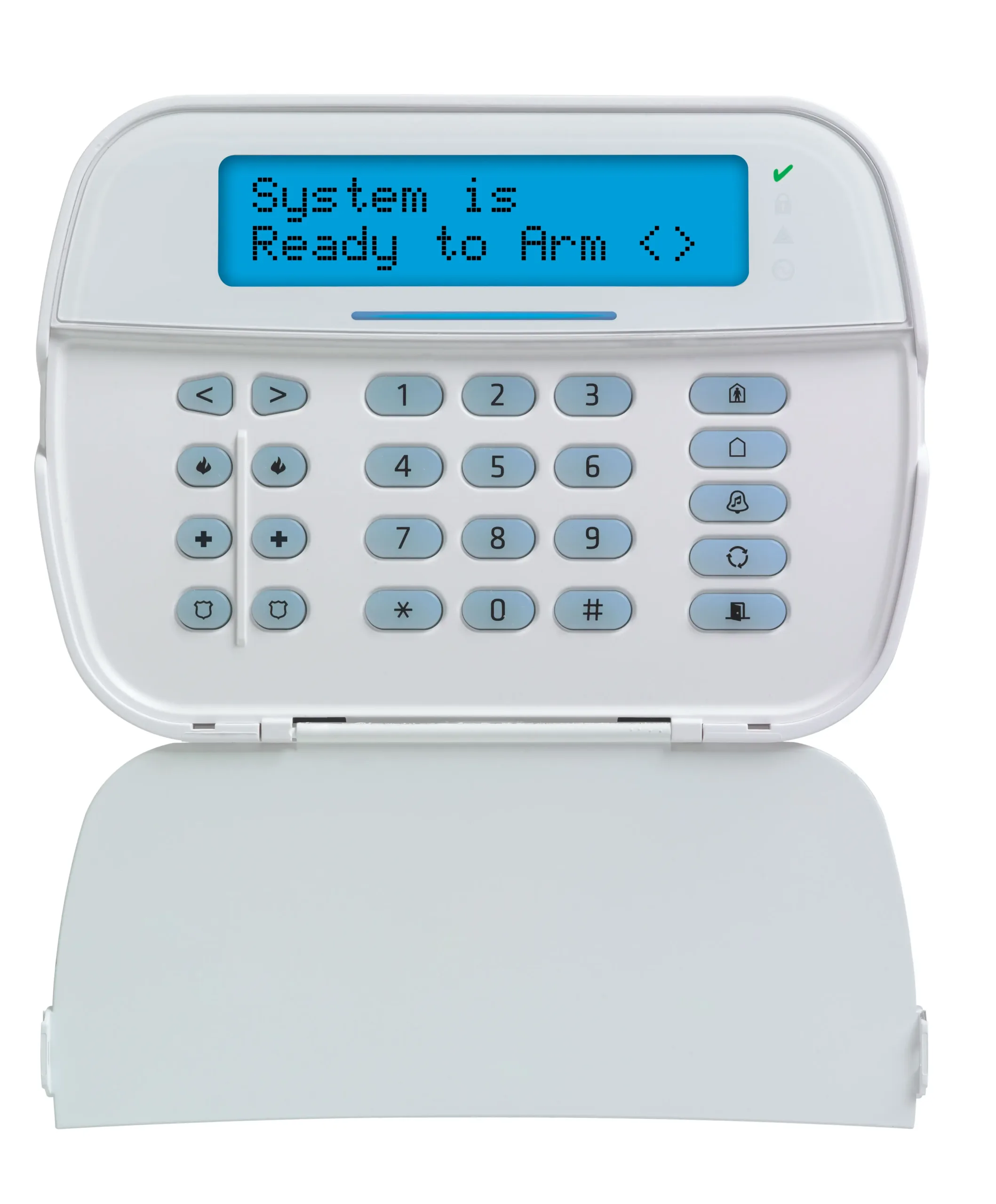
The screen shows a menu item. Use the < and > arrow keys to move backward/forward through menu options. Press * to select an option. Press # to go back or exit.

Common Keys

Key What it does
< > Move through options on the screen
* Select / enter a menu item
# Back / exit
DSC Neo PowerSeries alarm keypad

How To Lower Keypad Brightness on a DSC Neo PowerSeries Alarm

Fix the “keypad is too bright at night” problem by adjusting the backlight level.

Back to top

  1. Press *6 and enter your access code.
  2. Press the > arrow until the screen reads Brightness Control.
  3. Press * to open the setting.
  4. Use < or > to pick a level 00–15.
  5. Press # to exit (press again if needed to return to the normal screen).
Tip: 00 typically turns the backlight off when idle, but it lights up again when you press a key. If you have multiple keypads, you’ll need to set brightness on each keypad.

How To Adjust LCD Contrast on a DSC Neo Keypad

If the screen looks washed out or hard to read, contrast is the fix (not brightness).

Back to top

  1. Press *6 and enter your access code.
  2. Use < / > until the screen reads Contrast Control.
  3. Press *, then adjust with the arrow keys.
  4. Press # to exit.

How To Turn Door Chime On or Off on a DSC Neo Alarm

Stops the keypad from beeping when a door zone opens (or enables it if you want alerts).

Back to top

  1. Press *6 and enter your access code.
  2. Press > until the display shows Door Chime (sometimes labeled Chime).
  3. Press * to toggle or open the option, then use the arrows to set ON or OFF.
  4. Press # to exit.
Note: Door chime is often saved per keypad. If you still hear chimes, check any other keypads in the home.

How To Change Keypad Beep Volume on a DSC Neo System

Adjusts keypad button beeps and some countdown tones. This does not change siren volume.

Back to top

  1. Press *6 and enter your access code.
  2. Use < / > to find Buzzer Control or Tone.
  3. Press *, then raise/lower the level with the arrow keys.
  4. Press # to exit.

How To Add or Delete User Codes on a DSC Neo Alarm Panel

Use this when you need to give someone access or remove an old code.

Back to top

User code management is typically under * 5 and usually requires the Master Code.

Add a user code

  1. Press *5.
  2. Enter the Master Code.
  3. Enter a two-digit user slot (example: 02).
  4. Press *, then enter the new 4-digit code.
  5. Press # to exit.

Delete a user code

  1. Press *5.
  2. Enter the Master Code.
  3. Enter the two-digit user slot.
  4. Press *, then clear/delete the code (method varies by keypad).
  5. Press # to exit.
If the delete steps don’t match what the keypad shows, the keypad model/firmware may use a slightly different prompt flow. In that case, use the on-screen prompts or reference the exact keypad model guide.

How To Set the Time and Date on a DSC Neo Alarm System

Fixes incorrect time after a power outage and keeps event logs accurate.

Back to top

  1. Press *6 and enter your access code.
  2. Use < / > until the screen shows Time and Date.
  3. Press * and follow the prompts (often 24-hour time format).
  4. Press # to exit.