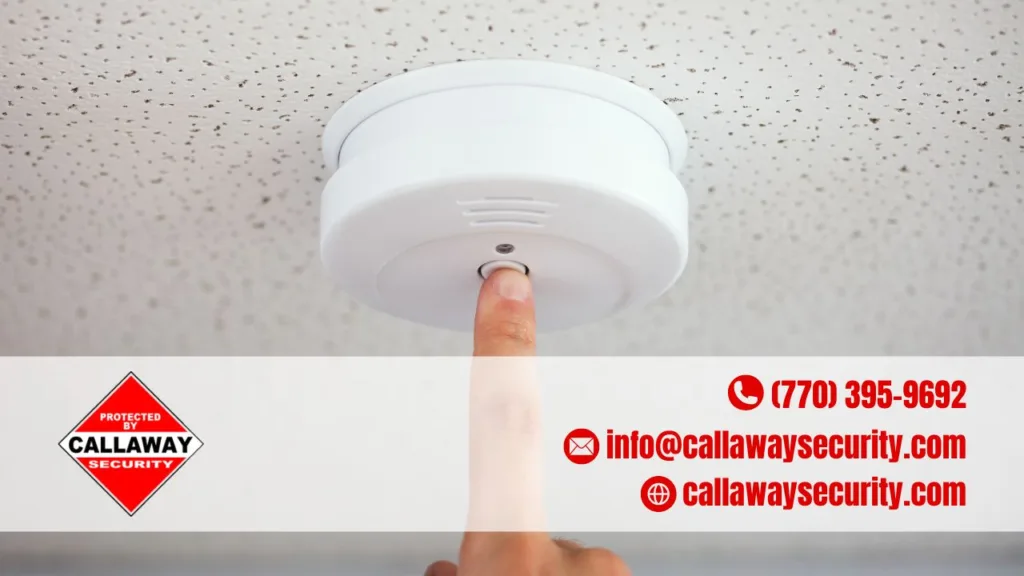
To reset a smoke alarm, press and hold the test/hush button for 10–20 seconds after removing and reinstalling the battery. For hardwired units, cut power at the breaker first, then repeat the same steps.
Whether your detector went off after a burnt toast incident or it just keeps beeping for no reason — knowing how to reset it quickly is a must. The good news? It only takes a few minutes and you don’t need any special tools.
Key Takeaways:
- Battery-operated alarms reset by removing the battery, pressing the test button for 10–20 seconds, then reinstalling.
- Hardwired smoke detectors need the circuit breaker turned off before you touch the wiring.
- A false alarm stops when you press and hold the hush/test button for 10–15 seconds.
- Dust inside the sensing chamber can trigger false alarms — clean it with compressed air.
- If your detector keeps chirping after a reset, it may be expired and due for replacement (lifespan: ~10 years).
Battery-Operated Smoke Alarm Reset
This is the most common type found in homes. Here’s how to reset it step by step.
- Twist the alarm counterclockwise to remove it from its mounting bracket on the ceiling or wall.
- Take out the battery. If the unit has any connected wires, disconnect those too.
- Press and hold the test/hush button for 10–20 seconds. This drains any leftover power inside the unit.
- Put in a fresh 9V battery — especially if the old one looked weak or corroded.
- Remount the alarm, then press the test button once to confirm it’s working.
Pro tip: Always swap in a fresh battery when resetting. A weak battery is one of the top reasons a smoke alarm keeps chirping.
Hardwired Smoke Alarm Reset
Hardwired smoke detectors are connected directly to your home’s electrical system. They also have a backup battery, so you need to deal with both.
- Go to your electrical panel and flip off the circuit breaker for the alarm’s circuit.
- Detach the alarm from its mounting bracket and unplug the wiring harness connector.
- Remove the backup battery from the unit.
- Press and hold the test/reset button for 15–20 seconds to clear residual power.
- Reconnect the battery and the wiring harness, then remount the alarm.
- Restore power at the breaker and press the test button to verify operation.
Safety first: Never handle the wiring harness while the circuit is still live. Always confirm the breaker is off before disconnecting anything.
Stopping a False Alarm
If your smoke alarm went off from steam, cooking smoke, or dust — not an actual fire — here’s how to stop it fast.
- Press and hold the test/hush button for 10–15 seconds until it stops.
- If it keeps beeping, spray compressed air into the sensing chamber to clear out any dust or debris.
- Open nearby windows or use a fan to clear smoke from the area faster.
Quick Comparison: Reset by Alarm Type
| Alarm Type | First Step | Button Hold Time | Extra Step |
|---|---|---|---|
| Battery-operated | Remove battery | 10–20 seconds | Install fresh battery |
| Hardwired | Turn off circuit breaker | 15–20 seconds | Reconnect wiring harness |
| False alarm (any type) | Press hush button | 10–15 seconds | Clean sensing chamber if needed |
| Kidde & similar models | Press test button once | No hold needed | Returns to standby automatically |
What To Do When the Reset Doesn’t Work
If the alarm keeps chirping or beeping even after a proper reset, one of these is usually the culprit.
- Expired unit: Smoke alarms have a lifespan of about 10 years. Check the manufacture date on the back of the unit.
- Weak or dead backup battery: Replace it with a brand-new one, even if the old one seems fine.
- Dusty sensing chamber: Clean it carefully with a vacuum or compressed air.
- Malfunctioning detector: If it still beeps after cleaning and a battery swap, the unit may be faulty and needs full replacement.
When to Replace, Not Just Reset
Some alarms can’t be fixed with a reset. Here’s when a full replacement makes more sense than troubleshooting.
| Situation | What to Do |
|---|---|
| Unit is 10+ years old | Replace immediately |
| Yellow or discolored casing | Replace — plastic degrades over time |
| Chirping continues after new battery | Replace the unit |
| Alarm randomly goes off with no smoke | Replace or call a professional |
Frequently Asked Questions
Why does my smoke alarm keep beeping even after I reset it?
Continued beeping after a reset usually means a weak battery, a dusty sensing chamber, or an expired unit. Try replacing the battery first. If it still beeps, clean the detector with compressed air. If neither works, the alarm likely needs replacement.
How do I reset a smoke alarm without a test button?
Remove the alarm from its bracket, take out the battery, and wait 30–60 seconds before reinstalling. Some older models don’t have a visible test button — the battery removal method works as a manual reset for these units.
Can I silence a smoke alarm that keeps going off due to cooking?
Yes. Press and hold the hush button for 10–15 seconds to temporarily silence it. The detector will return to normal standby after a few minutes once the air clears. If it’s a recurring issue, consider relocating the detector further from the kitchen.
How often should I test my smoke alarm after resetting it?
Test your smoke alarm at least once a month using the test button. Replace the battery once a year, or whenever you hear the low-battery chirp. Full unit replacement is recommended every 10 years.
Do interconnected smoke alarms all need to be reset individually?
In most interconnected systems, you’ll need to reset the specific alarm that triggered the alert — not all of them at once. Check your system’s manual for model-specific instructions, as some brands have a master reset option.
Keep Your Smoke Alarms Working Year-Round
Resetting a smoke alarm is a quick fix — but keeping your entire fire safety system in top shape takes a bit more. Regular testing, timely battery swaps, and knowing when to call a professional all play a big role in keeping your home and family protected.
Whether you’ve got a single battery-operated detector or a full hardwired system throughout your property, the same rule applies: don’t wait for a chirp or a false alarm to check if your detector is actually working. If you’re due for a professional fire alarm service or a routine safety inspection, now’s a great time to get it sorted.
Need help with your fire alarm system? Callaway Security & Sound has certified technicians ready to handle installation, servicing, and inspections — so your system works when it matters most. Get in touch today.